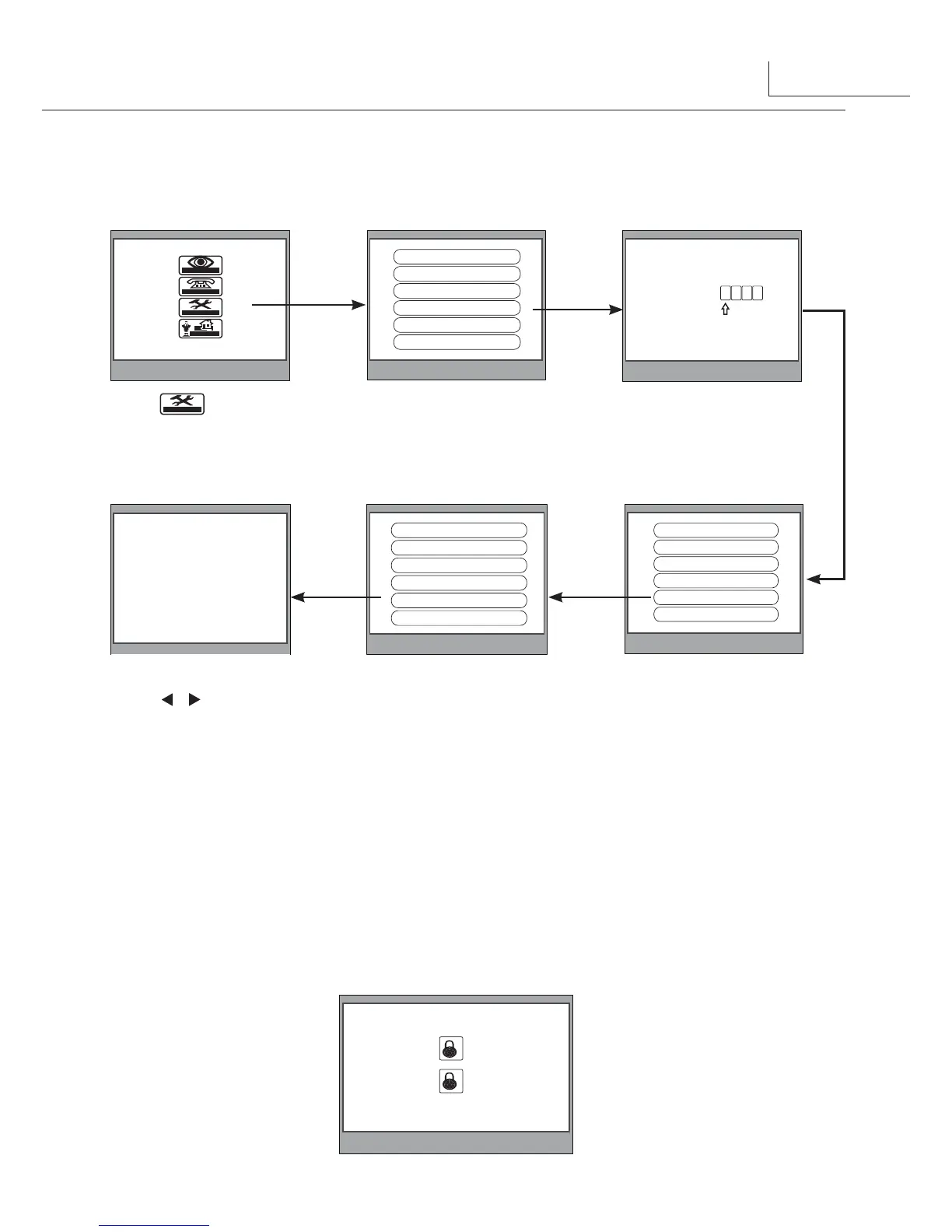
5.6 Unlock Parameter Setting
Note:
1.When the
Unlock Menu
is set to 1, you can only release one lock.
2.When the
Unlock Menu
is set to 0, you can release two locks.at this mode,press UNLOCK
button,two unlock icons will be showed. Use ▲ / ▼ button to select the item you want, and
press UNLOCK or MENU button to release the corresponding door.
3.The restore to default operation will not change the
Unlock Menu
setting.
5
item on main
menu page.
2.Select Advanced Set...item and
press MENU button to enter,a
password will be asked.
4.Select Information...item and
press MENU button.
5.Press UNLOCK button and
hold for 2s.
6.Use ▲ / ▼ button to select the
item, use / Button to decrease /
increase the value of the item.settings
will be performed immediatelly.select
Exit item to exit.
3.The default password is 2008.
After finishing,press MENU
button to enter next sub menu.
1
2



 To Next Page