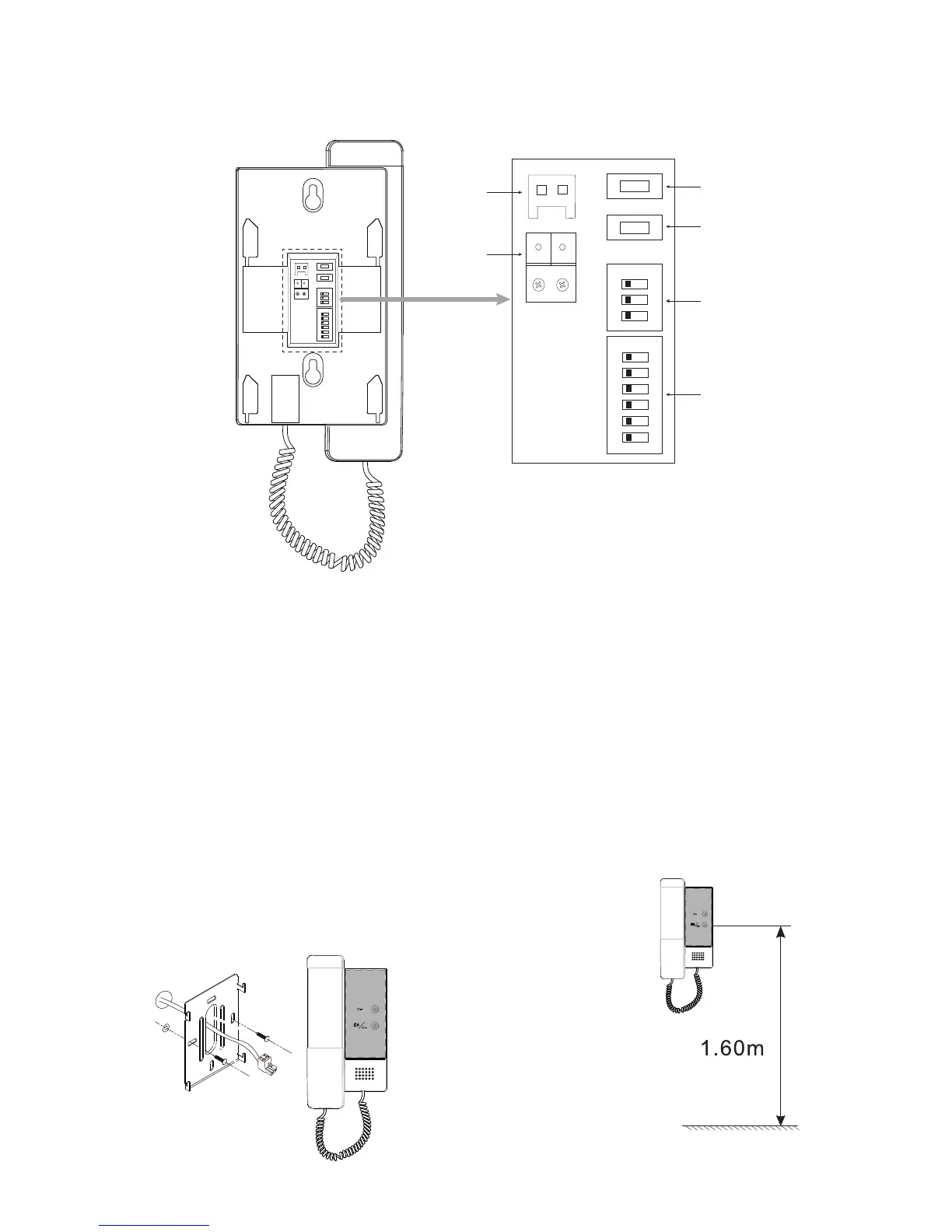
2. Terminal Descriptions
L2 L1
SW+SW-
1 2 3 4 5 6
ON DIP
ON
1 2 3
K4
K3
K4
K3
DIP2
DIP1
L2 L1
SW+SW-
1 2 3 4 5 6
ON DIP
ON
1 2 3
K4
K3
SW+,SW-
L1, L2
SW+,SW-:Door bell call button connection port.
L1,L2:Bus terminal.
K4:Used to Ring Tone setting.
K3:Used to Ring Volume setting.
DIP1(Bit1~6):Used to User Code setting.
DIP2(Bit1~3):Used to Slave Monitor Address or Extended Address setting.
3. Unit Mounting
2
2
1). Fix 2 screws to the wall at a appropriate height;
2). Connect the system correctly;
3). Attach the audio phone to the bracket.



 To Next Page