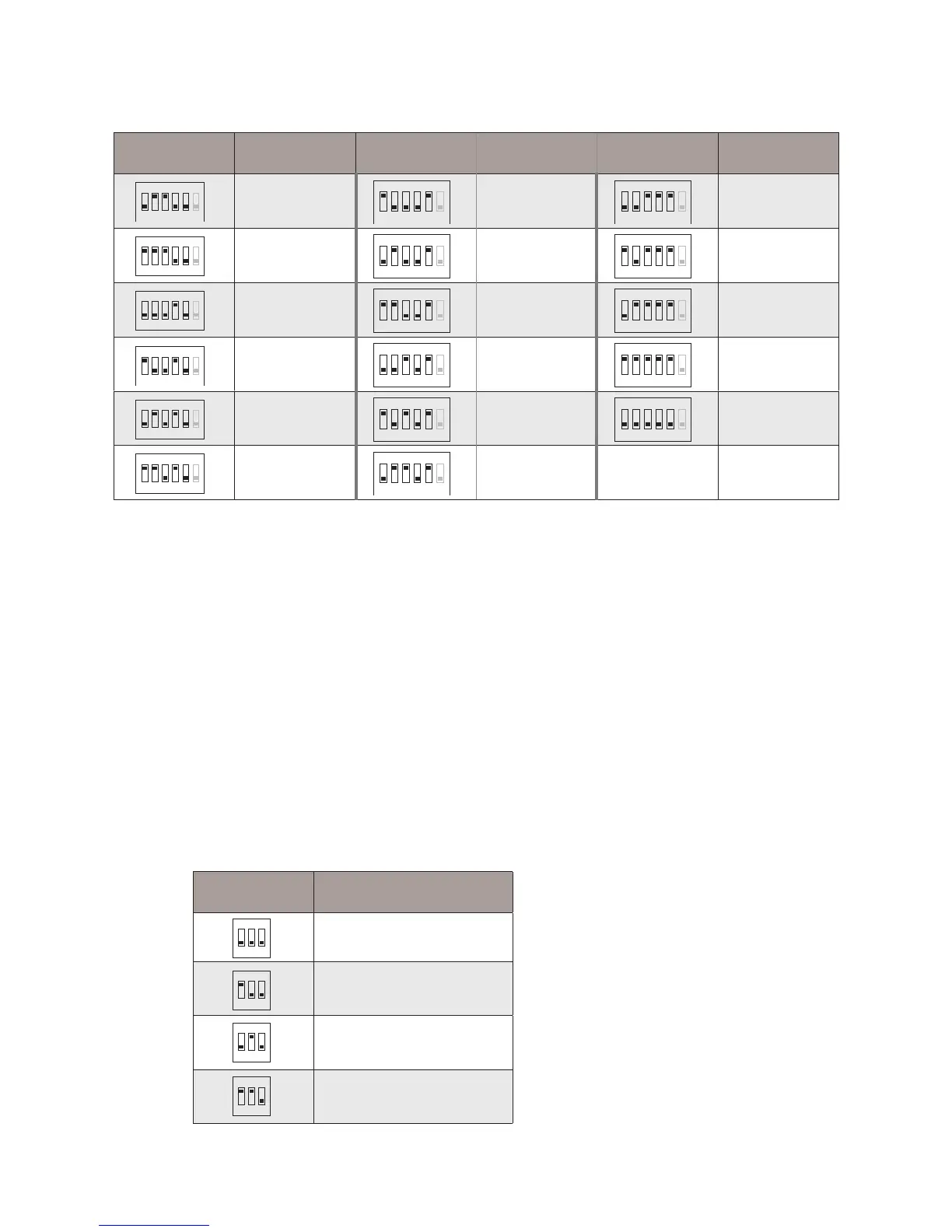
5.2 Slave Address Or Extended Address Setting(DIP2 to set it)
When multi Monitors are installed in one apartment, these Monitors have to use the
same User Code setting, and the Master/Slave mode should be set on the Monitor.
• Bit-1~2 of DIP2 are used to slave address or extended address setting.
• Bit-3 of DIP2 is used to monitor matched setting, When Bit-3 set to ON / OFF, there
are different usages.
Bit state User Code Bit state User Code Bit state User Code
1 2 3 4 5 6
ON
Code=6
ON
Code=32
1 2 3 4 5 6
ON
Code=11
1 2 3 4 5 6
ON
Code=22
5.2.1 When Bit-3 of DIP2 set to OFF, the Bit-1~2 of DIP2 are used to master/slave
address setting:
DIP2 state Master/Slave type
1 2 3
ON
Master monitor
1 2 3
ON
Slave monitor 1
1 2 3
ON
Slave monitor 2
1 2 3
ON
Slave monitor 3



 To Next Page