-3-
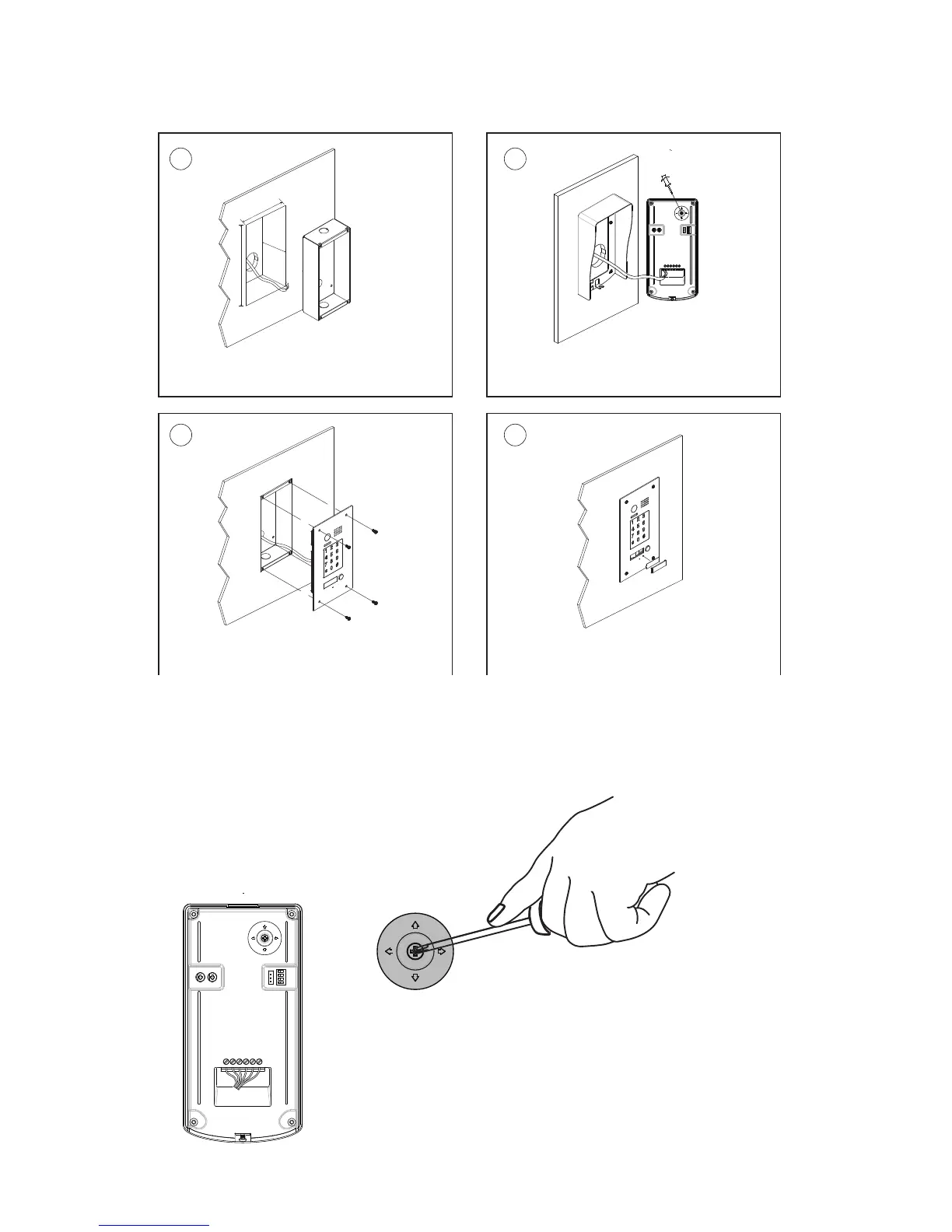
DT596F/KP Mounting
1
90mm
174mm
52mm
2
43
Drill a hole in the wall to match the size of the
mounting box and attach to the wall.
Attach the panel to the mounting box and
use screws supplied to fix the panel
Place name label
Connect the cable correctly and adjust
right angle for camera
adjust camera angle
PS
Adjusting Camera Angle



 To Next Page