2 EASY
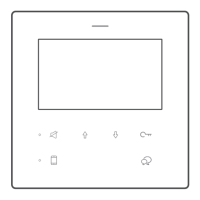
DMR18S DOOR STATION
1. Basic function: Calling; Conversation; Unlock
4.Work Mode: 32 apartments mode; DT- DJ mode;
Router mode; Gateway mode
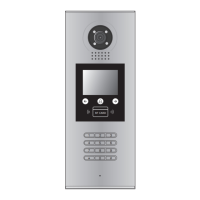
2. Special function: Voice prompt; select by touch
keypad; name list
3. Update operation: Software update; UI update;
Ringtone update
Direct dial monitor address on keyboard, and press talk button on
monitor and conversation, press unlock button to unlock.
Select by touch keypad: Press the touch button into name list in-
terface, press or to select the apartment, press to call the
apartment.
Name list update by SD card; Name list update by DT-cong.
More details refer to Update manual.
Voice prompt:
Input #8002 + code (66666666) into setup interface.
Select item 2 to enter Tone select.
Press
or touch button to select the Ringtone.
Press No.
to select
*Back
Setup
1. Language [0]
2. Tone Select [01]
3. Tone Volume [3]
4. Unlock Code [1111]
5. Work Mode [0]
6. Clock ...
7. Setup Code ...
8. About ...
9. Default ...
* Cancel # Save
2. Tone Select [01]
00 Mute
01 Tune
02 English
* Cancel # Save
(0~3)
[ 0 ]
5. Work Mode [0]
* Cancel # Save
(0~3)
[ 0 ]
1. ID Code [0]
Input Mode:
In standby mode. Input #8001+ Code( 66666666 by
default), then select “ 5 ” item to set the
Doorplate Mode
, for example
input the code 15 to call the monitor.
32 apartments mode:
The
32 Apartments mode
is applied in a small capacity system,
which monitors are under 32 and without BDU unit. Generally dial
01~32 to call the monitor.
Work Mode set to
0
, and ID code set to
0~3.
DT-DJ Mode:
The
DT-DJ Mode
is used for the audio intercom system. When the
system contains of the audio monitors, such as DJ4A, DJ5A, DJ6A,
etc. The
DT-DJ Mode
can be assigned the address from 001 to 128
without BDU unit.
Work Mode set to
1
, and ID code set to
0~3.
* Cancel # Save
[ * * * * * *1 1 ]
5. Doorplate Mode [11]
0: *
1: 123
2: ABC
3: -
* Cancel # Save
(0~3)
[ 1 ]
5. Work Mode [0]
* Cancel # Save
(0~3)
[ 0 ]
1. ID Code [0]
Input Mode
: In standby mode. Input #8001+ Code ( 66666666 by
default), then select “ 5 ” item to set the
Doorplate Mode
, for example
input the code 068 to call the monitor.
* Cancel # Save
[ * * * * * 1 1 1 ]
5. Doorplate Mode [111]
0: *
1: 123
2: ABC
3: -
DT System Test Manual-2-



 To Next Page