Need help?
Do you have a question about the V-TEK DF4-WS and is the answer not in the manual?
Guides on setting monitor addresses and master/slave configurations using the monitor's menu.
Step-by-step instructions for configuring the monitor's unique address and master/slave relationship.
Instructions for answering calls, unlocking doors, adjusting brightness, and switching cameras.
Step-by-step guide to reset the device to its original factory defaults.
Guidelines on protecting the device from damage, proper cleaning, and environmental factors.
Warnings about power supply, high voltage, and the need for qualified professional service.
The DF4 is a 2-wire intercom system featuring a 4.3-inch TFT monitor, designed for residential and commercial security applications. This system allows for communication with a door station, monitoring of the entrance, and control of door locks.
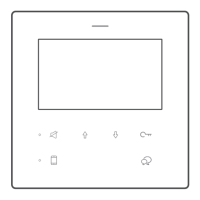
The DF4 monitor serves as the central interface for the intercom system. It includes a 4.3-inch TFT display for video feed from the door station and various touch keys for operation. Key functions include:
 General
| Operating Frequency | 2.4GHz |
|---|---|
| Type | Wireless |
| Display | LCD |
| Camera | Yes |
| Night Vision | Yes |
| Operating Temperature | +55°C |
| Operating Humidity | 10% to 90% RH |
| Intercom | Two-way voice communication |


 To Next Page