Need help?
Do you have a question about the V-TEK DigiOpen 2Easy DMR18S and is the answer not in the manual?
Guides the user through the initial setup process for the device.
Provides a general overview of the DMR18S features and benefits.
Explains how to mount the device on a flat surface.
Details the process for recessing the device into a wall.
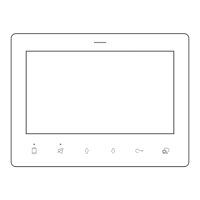
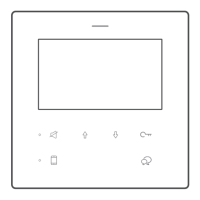
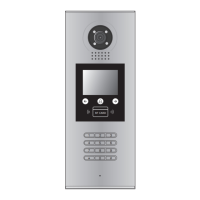
Identifies key components and their operational roles.
Explains the function of each terminal connection on the device.
Illustrates the overall wiring diagram for system components.
Details electrical connections for door lock operation.
Lists the technical specifications of the door station unit.
How to enter and navigate the device's debug mode menu.
Assigns unique ID codes to door stations in a multi-unit system.
Sets the duration for the door unlock signal.
Configures door lock behavior based on power status.
Sets the duration for monitoring video feeds.
Defines how the system calls residents (by number or number+hash).
Configures system response times for calls and conversations.
Sets a password for accessing installer-specific settings.
Selects system language and audio ringtones.
Adjusts the volume level for system tones and ringtones.
Sets or changes the unlock code for door access.
Configures the system's current time and date.
Sets a code required for specific setup procedures.
Procedure for registering new access cards to the system.
Methods for removing access cards from the system.
Shows the total count of registered access cards.
Resets the system to factory defaults via password.
How to search for and identify online monitors.
Displays the online/offline status of door stations and accessories.
Procedure to check the voltage of connected monitors.
Explains the four available work modes for system operation.
Configures the system for audio-only monitors up to 128 units.
Standard mode for small systems with under 32 monitors.
Configures the system for up to 256 apartments with BDU units.
Configures the system for community network communication.
How to check the current software version of the DMR18S.
Instructions for updating firmware using an SD card.
Procedure for updating ringtones and audio files.
Instructions for updating the user interface using an SD card.
Updating the resident namelist using an SD card.
Using DT-Config software to manage and update the namelist.
 General
| Type | Video Doorphone |
|---|---|
| Camera | Yes |
| Night Vision | Yes |
| Operating Voltage | 12V DC |
| Display | 7" TFT LCD |
| Operating Temperature | -10°C to +55°C |
| Operating Humidity | 10% to 90% RH |
| Housing Material | Plastic |

 To Next Page