2 EASY
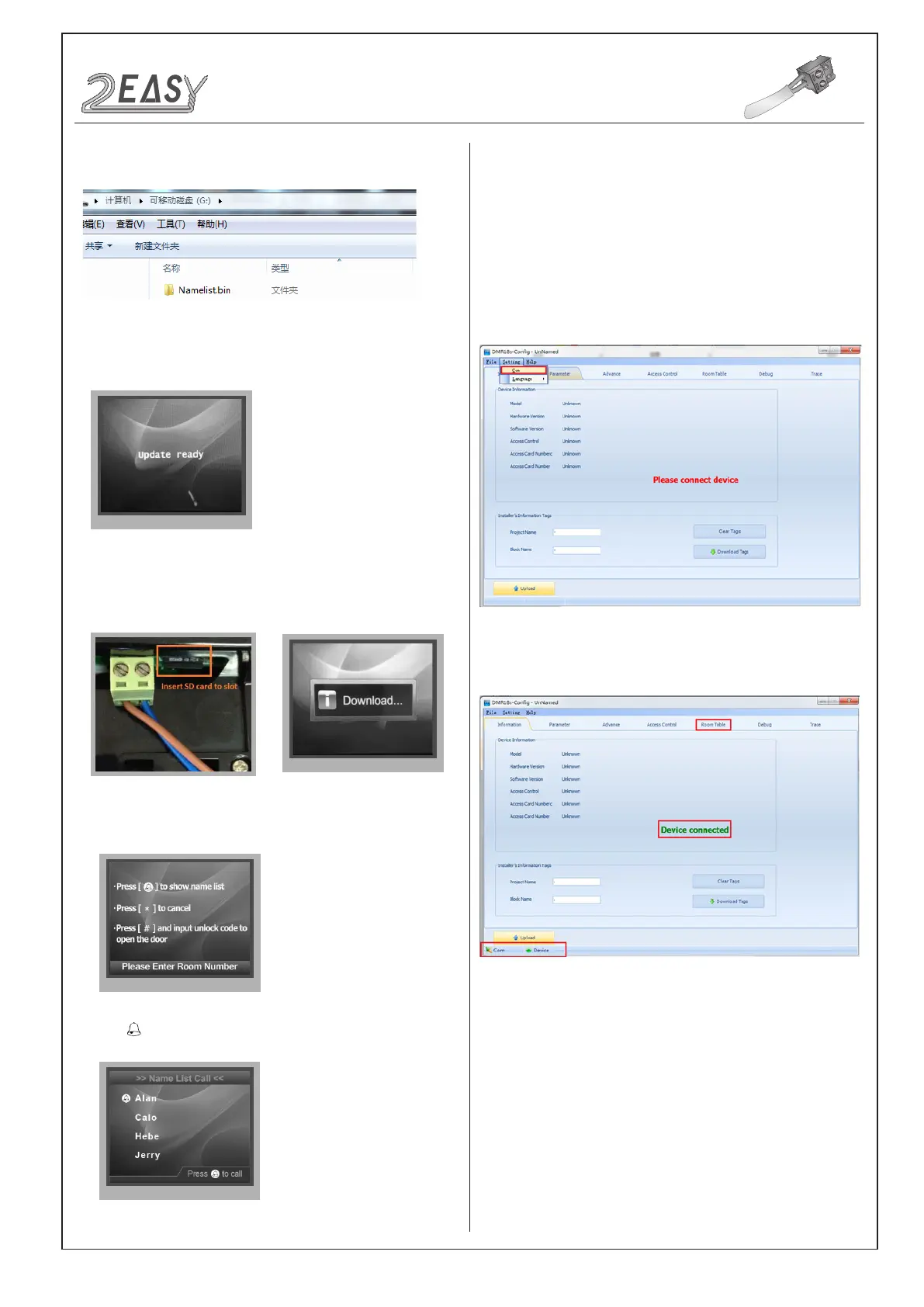
4. Select 4 to enter Namelist update,the information of “update
ready” will be showed.
3. Copy the Namelist le to SD card by computer.
CONFIGURATION
System Update
5. Insert the SD card to slot, the information of “Download...” will be
showed when the updated is in progress. After 3 seconds, a long
sound “BP+” will be heard to start the updated.
6. When update is nished, it will return to Standby Mode interface.
7. Press touch button to show the Name list
2) Namelist update by DT-Cong
DMR18S-Cong software is for parameters setting, namelist setting
etc. It is great convenience to installation.
The DMR18S-Cong software operation is as follows:
1. Open “DMR18S-Config” software,connnect DMR18S to PC via
USB-RS-485;Click “Setting” on the menu bar then click Com to select
right Com.(Com information can be found in “ My Computer ->
Properties ->Device Manage->Ports”)
2. Then if DMR18s is connected to PC successfully, one tips of “Device
connected” will be showed. Click “Room Table” tab to edit Name list.)
3. Then click “Insert” to create the rst item.
Each item have 5 different properties:
Address: Monitor’s address (can be nd in “about”);
User Code: The number you can dial to the monitor;
Name: The name of resident;
Router: Set the BDU address when it is in Router mode;
Gateway: Set the BDU address when it is in Gateway Mode.
DMR18S Technical Manual -13-


 To Next Page
 Loading...