-
6
-
3. Auto call back
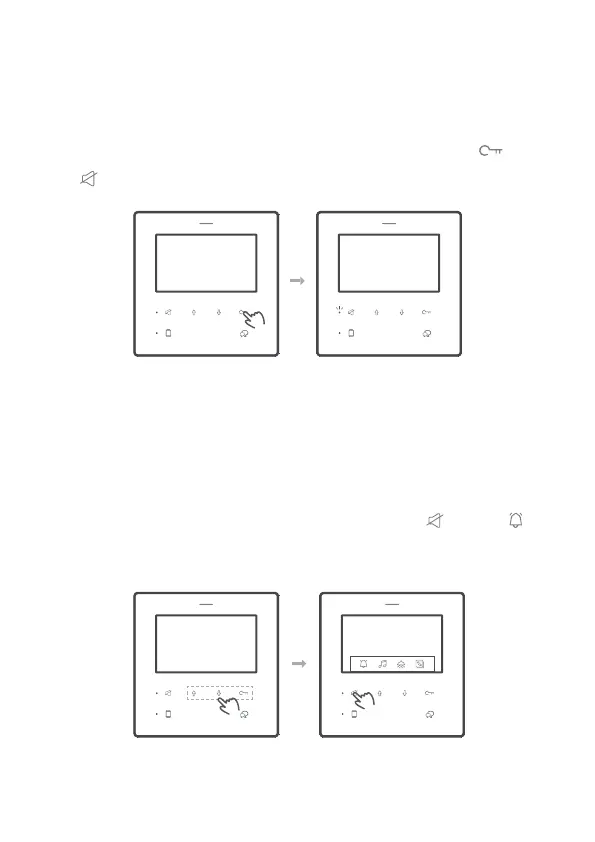
1. Adjust ringtone volume
After 1 and 2 setups, DF4 can apply a calling from DF4, simulator a call from
door station.
When power up and standby (DF4 is screen off), press and hold for 3s
until led ashes.
2 levels adjustable. When standby, into main menu, tap refers to
switch the volume between large and small.
Press and hold Release
User personalization setup
VER 01.01
ADDR 01.01


 To Next Page