EasyManua.ls Logo

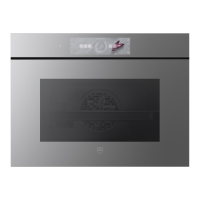
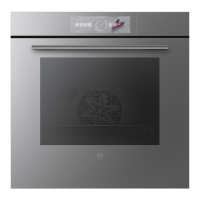
V-ZUG Combair V6000 - User Manual

V-ZUG Combair V6000
72 pages
Print Icon
To Next Page IconTo Next Page
Loading...
Operating instructions
Combair V6000
Oven
V-ZUG-Home
Install the app, network your appliances and
benefit from a wide range of useful functions.
Question and Answer IconNeed help?

Do you have a question about the V-ZUG Combair V6000 and is the answer not in the manual?

Summary

Safety Precautions

Modifications

Details on how text and data correspond to the appliance's technical standard.

Validity

Specifies the applicability of instructions to different model designations.

Safety Precautions

Symbols Used

Explains the meaning of various symbols in the manual.

General Safety Precautions

Outlines essential safety guidelines for appliance operation.

Appliance-Specific Safety Precautions

Highlights safety measures pertinent to this particular appliance.

Using for the First Time

Appliance Description

Construction

Overview of the appliance's physical components and structure.

Operating and Display Elements

Details the controls and interface of the appliance's display.

Operation

Operating the Display

Instructions on navigating and using the appliance's touch display.

Selecting and Starting an Application

Guide on choosing and initiating cooking functions or programs.

Applications

Top;Bottom Heat

Description of the Top/Bottom Heat cooking mode and its uses.

Top;Bottom Heat Humid

Details on the Top/Bottom Heat Humid function for moist cooking.

User Settings

Adjusting User Settings

Procedures for customizing appliance behavior and preferences.

Language

Allows selection of the preferred language for the appliance display.

Care and Maintenance

Cleaning the Exterior

Instructions for maintaining the external appearance of the appliance.

Cleaning the Cooking Space

Guidance on cleaning the interior of the oven.

Trouble-shooting

Error Messages

Information on interpreting and resolving error codes displayed by the appliance.

Other Possible Problems

Solutions for common issues not indicated by specific error messages.

Accessories and Spare Parts

Accessories

Overview of optional accessories available for purchase.

Technical Data

External Dimensions

Physical measurements of the appliance for installation planning.

Electrical Connection

Details regarding the power supply and connection requirements.

Tips and Tricks

Unsatisfactory Cooking Result...

Advice to improve cooking outcomes and troubleshoot common problems.

Saving Energy

Recommendations for efficient energy usage of the appliance.

Disposal

Packaging

Safety guidelines for handling and disposing of packaging materials.

Safety

Instructions to ensure the appliance is safe before it is disposed of.

Service & Support

Trouble-shooting

Guide on how to resolve minor appliance issues independently.

Warranty Information

Details on appliance warranty coverage and registration procedures.

Summary

Safety Precautions

Modifications

Details on how text and data correspond to the appliance's technical standard.

Validity

Specifies the applicability of instructions to different model designations.

Safety Precautions

Symbols Used

Explains the meaning of various symbols in the manual.

General Safety Precautions

Outlines essential safety guidelines for appliance operation.

Appliance-Specific Safety Precautions

Highlights safety measures pertinent to this particular appliance.

Using for the First Time

Appliance Description

Construction

Overview of the appliance's physical components and structure.

Operating and Display Elements

Details the controls and interface of the appliance's display.

Operation

Operating the Display

Instructions on navigating and using the appliance's touch display.

Selecting and Starting an Application

Guide on choosing and initiating cooking functions or programs.

Applications

Top;Bottom Heat

Description of the Top/Bottom Heat cooking mode and its uses.

Top;Bottom Heat Humid

Details on the Top/Bottom Heat Humid function for moist cooking.

User Settings

Adjusting User Settings

Procedures for customizing appliance behavior and preferences.

Language

Allows selection of the preferred language for the appliance display.

Care and Maintenance

Cleaning the Exterior

Instructions for maintaining the external appearance of the appliance.

Cleaning the Cooking Space

Guidance on cleaning the interior of the oven.

Trouble-shooting

Error Messages

Information on interpreting and resolving error codes displayed by the appliance.

Other Possible Problems

Solutions for common issues not indicated by specific error messages.

Accessories and Spare Parts

Accessories

Overview of optional accessories available for purchase.

Technical Data

External Dimensions

Physical measurements of the appliance for installation planning.

Electrical Connection

Details regarding the power supply and connection requirements.

Tips and Tricks

Unsatisfactory Cooking Result...

Advice to improve cooking outcomes and troubleshoot common problems.

Saving Energy

Recommendations for efficient energy usage of the appliance.

Disposal

Packaging

Safety guidelines for handling and disposing of packaging materials.

Safety

Instructions to ensure the appliance is safe before it is disposed of.

Service & Support

Trouble-shooting

Guide on how to resolve minor appliance issues independently.

Warranty Information

Details on appliance warranty coverage and registration procedures.

V-ZUG Combair V6000 Specifications

General IconGeneral
TypeBuilt-in Oven
Steam CookingYes
Hot AirYes
Number of Cooking Levels5
Control TypeTouch Control
LightingLED
Voltage220-240 V
Frequency50/60 Hz
Power Consumption3.6 kW
Temperature Range30-275°C
DoorSoft Close Door
CleaningPyrolytic

Related product manuals