EasyManua.ls Logo

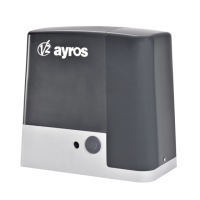
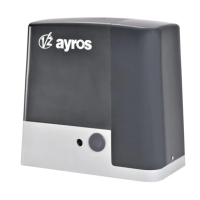
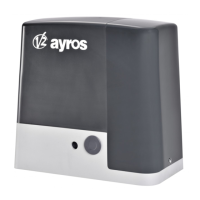
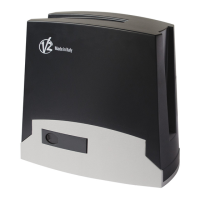
V2 AYROS-230V - User Manual

V2 AYROS-230V
108 pages
Go to English
Print Icon
To Next Page IconTo Next Page
Loading...
Value moves the world
IL 373-1
EDIZ. 01/12/2014
AYROS-230V
I
ATTUATORE ELETTROMECCANICO
230V IRREVERSIBILE PER CANCELLI
SCORREVOLI FINO A 1200 KG
DI PESO
GB
230V ELECTRO-MECHANICAL
IRREVERSIBLE RACK ACTUATOR
FOR SLIDING GATES UP TO 1200 KG
F
OPERATEUR ELECTROMECANIQUE 230V
IRREVERSIBLE A CREMAILLERE POUR
PORTAILS COULISSANTS JUSQU’A 1200
KG DE POIDS
E
MOTOR ELECTROMECANICO 230V
IRREVERSIBLES A CREMALLERA
PARA PUERTAS CORREDERAS
HASTA 1200 KG DE PESO

Table of Contents

Question and Answer IconNeed help?

Do you have a question about the V2 AYROS-230V and is the answer not in the manual?

Summary

General Safety Information

European Regulations Compliance

Adherence to EN standards for automation installation.

Personnel Safety and Procedures

Requirements for installers, PPE, and safe work practices.

Product Usage and Environmental Guidelines

Restrictions on use, environmental conditions, and user limitations.

Manufacturer Liability and Product Modifications

V2's rights regarding product changes and responsibility for misuse.

Preliminary Checks and Type Identification

Gate Structure and Installation Readiness

Verifying gate balance, friction, stoppers, and mounting stability.

Electrical System Requirements

Ensuring proper earthing and differential breaker for power supply.

Safety Level Classification and Protections

Defining use types (Groups) and required safety protections (A-E).

Technical Assistance Service

Contact Information for Assistance

Provides contact number and operating hours for technical support.

EC Declaration of Incorporation

Machinery Compliance Statement

Manufacturer's declaration for partly completed machinery and relevant directives.

Technical Data

AYROS Model Specifications

Detailed technical specifications for AYROS models (weight, power, speed, etc.).

Included Components Diagram

Visual representation of the motor and included accessories.

Installation of the Motor

Positioning of the Motor

Instructions for correctly positioning and fixing the motor unit.

Anchoring Plate Installation

Steps for assembling and pouring the concrete for the anchoring plate.

Motor Leveling and Alignment

Adjusting the motor for perfect leveling and parallelism with the gate.

Mounting the Rack

Rack Installation Procedure

Steps for attaching rack elements to the gate at the correct height.

Fixing of the Motor

Motor Mounting and Alignment Checks

Verifying motor leveling, pinion-rack distance, and alignment.

Installing the Magnetic Limit Switches

Magnetic Limit Switch Placement

Guidance on positioning magnets for opening and closing limit detection.

Limit Switch Color Coding and Identification

Explanation of magnet colors (Blue=DX, Red=SX) for limit switch identification.

Motor Overriding System

Manual Gate Release Procedure

Steps to manually release the gate in case of power failure.

Installation Layout

Component Identification and Cable Lengths

Diagram of components and a table for cable length requirements.

Control Unit

PD19 Control Unit Features Overview

Overview of the PD19 control unit's display, features, and compliance.

Power Supply

Requirements for connecting the 230V power supply to the control unit.

Flashing Light

Instructions for connecting the 230V/40W flashing light.

Courtesy Lights

Connecting and controlling courtesy or garden lights.

Activation Inputs

Explanation of different modes for START and START P. inputs.

Stop Function

How to wire a normally closed stop switch for immediate gate halt.

Photocells

Positioning and wiring for inner and outer gate photocells.

Safety Ribbons

Instructions for connecting safety ribbons (fixed and mobile).

External Aerial

Guidance on connecting the ANS433 aerial for optimal range.

Electrical Connection

Wiring diagram for mains power supply and terminal block connections.

Plug-in Receiver

Instructions for plugging in and using MR receivers with the control unit.

ADI Interface

Connecting and configuring optional ADI modules for extended functions.

Brake Function Configuration

Setting the brake function for heavy gates to ensure immediate blocking.

Slow Down Configuration

Adjusting reduced speed percentages for opening and closing stretches.

Start Command Behavior

Defining control unit actions for Start command during opening, closing, and pause.

Automatic Closing and Passage Closure Settings

Configuring automatic closing timers and closure after passage.

Courtesy Lights and Auxiliary Channel Settings

Managing courtesy lights and auxiliary channel operations.

Blinker During Pause Time Setting

Enabling the blinker function during the gate pause time.

Activation Inputs Function Modes

Selecting modes for activation inputs (Standard, Open/Close, Manned, Timer).

Photocell Input Configuration

Enabling and configuring Photocell 1 and Photocell 2 inputs.

Photocell Test Function

Setting up and performing the photocell operational test.

Safety Ribbon Input Configuration

Enabling and configuring Safety Ribbon 1 and 2 inputs.

Safety Edge Test Configuration

Setting the method for controlling safety edge operations.

Encoder Sensitivity and ADI Device Enabling

Adjusting encoder sensitivity and enabling ADI devices.

End of Programming

Procedure to finish programming and save modified data.

Control Panel

Display

Description of the control panel display and its segments.

Use of the Keys for Programming

Guide to using the control unit's keys for menu navigation and programming.

Accessing the Control Unit Settings

Entering the Settings Menu

Procedure to access the main configuration menu using the OK key.

Quick Configuration

Initial Setup and Parameter Adjustment

Steps for a quick configuration process to get the unit working.

Loading the Default Parameters

Restoring Factory Default Settings

Procedure to reset all parameters to their original factory defaults.

Installation Menu

Automatic Learning of the Run Limits

Procedure for the gate to learn its opening and closing limits.

Manual Handling

How to manually move the gate for installation or maintenance.

Emergency Dead Man Operation

Dead Man Mode Activation and Usage

How to use the dead man mode for specific operations.

Reading of Cycle Counter

Cycle Counter Functions

Reading total cycles and cycles until next service.

Programming Service Interval Cycles

Setting the number of cycles before a maintenance service is required.

Signal of Service Required

Service Indicator Notification

How the unit signals when maintenance is due based on cycle count.

Programming the Control Unit

Accessing and Navigating Configuration Menu

How to enter and move through the control unit's programming menu.

Parameter Configuration Table

List of configurable parameters like gate direction, partial opening, and pre-blinking.

Brake Function Configuration

Setting the brake function for heavy gates to ensure immediate blocking.

Slow Down Configuration

Adjusting reduced speed percentages for opening and closing stretches.

Start Command Behavior

Defining control unit actions for Start command during opening, closing, and pause.

Automatic Closing and Passage Closure Settings

Configuring automatic closing timers and closure after passage.

Courtesy Lights and Auxiliary Channel Settings

Managing courtesy lights and auxiliary channel operations.

Blinker During Pause Time Setting

Enabling the blinker function during the gate pause time.

Activation Inputs Function Modes

Selecting modes for activation inputs (Standard, Open/Close, Manned, Timer).

Photocell Input Configuration

Enabling and configuring Photocell 1 and Photocell 2 inputs.

Photocell Test Function

Setting up and performing the photocell operational test.

Safety Ribbon Input Configuration

Enabling and configuring Safety Ribbon 1 and 2 inputs.

Safety Edge Test Configuration

Setting the method for controlling safety edge operations.

Encoder Sensitivity and ADI Device Enabling

Adjusting encoder sensitivity and enabling ADI devices.

End of Programming

Procedure to finish programming and save modified data.

Operation Defects

Mains LED and Overload Issues

Troubleshooting problems with the Mains LED and Overload indicator.

Pre-blinking and Slow Movement Anomalies

Diagnosing issues with long pre-blinking and slow gate movement.

Error Code Explanations (Err1 to Err10)

Detailed explanations and remedies for various error codes displayed by the unit.

Testing and Start-Up

Essential Safety Steps for Automation

Key procedures for ensuring maximum safety during testing and start-up.

Impact Force Measurement and Adjustment

How to measure and adjust impact force according to EN 12445.

Maintenance

Recommended Maintenance Checks and Intervals

Routine maintenance tasks and recommended inspection intervals.

Disposal of the Product

Product End-of-Life Handling and Regulations

Guidelines for dismantling and disposing of the product responsibly.

Automation Device Users Manual

Automation Device User Information

General advice for users on safety, behavior, and care of the automation device.

Motor Overriding System

Instructions for manually releasing the motor in case of power failure.

Summary

General Safety Information

European Regulations Compliance

Adherence to EN standards for automation installation.

Personnel Safety and Procedures

Requirements for installers, PPE, and safe work practices.

Product Usage and Environmental Guidelines

Restrictions on use, environmental conditions, and user limitations.

Manufacturer Liability and Product Modifications

V2's rights regarding product changes and responsibility for misuse.

Preliminary Checks and Type Identification

Gate Structure and Installation Readiness

Verifying gate balance, friction, stoppers, and mounting stability.

Electrical System Requirements

Ensuring proper earthing and differential breaker for power supply.

Safety Level Classification and Protections

Defining use types (Groups) and required safety protections (A-E).

Technical Assistance Service

Contact Information for Assistance

Provides contact number and operating hours for technical support.

EC Declaration of Incorporation

Machinery Compliance Statement

Manufacturer's declaration for partly completed machinery and relevant directives.

Technical Data

AYROS Model Specifications

Detailed technical specifications for AYROS models (weight, power, speed, etc.).

Included Components Diagram

Visual representation of the motor and included accessories.

Installation of the Motor

Positioning of the Motor

Instructions for correctly positioning and fixing the motor unit.

Anchoring Plate Installation

Steps for assembling and pouring the concrete for the anchoring plate.

Motor Leveling and Alignment

Adjusting the motor for perfect leveling and parallelism with the gate.

Mounting the Rack

Rack Installation Procedure

Steps for attaching rack elements to the gate at the correct height.

Fixing of the Motor

Motor Mounting and Alignment Checks

Verifying motor leveling, pinion-rack distance, and alignment.

Installing the Magnetic Limit Switches

Magnetic Limit Switch Placement

Guidance on positioning magnets for opening and closing limit detection.

Limit Switch Color Coding and Identification

Explanation of magnet colors (Blue=DX, Red=SX) for limit switch identification.

Motor Overriding System

Manual Gate Release Procedure

Steps to manually release the gate in case of power failure.

Installation Layout

Component Identification and Cable Lengths

Diagram of components and a table for cable length requirements.

Control Unit

PD19 Control Unit Features Overview

Overview of the PD19 control unit's display, features, and compliance.

Power Supply

Requirements for connecting the 230V power supply to the control unit.

Flashing Light

Instructions for connecting the 230V/40W flashing light.

Courtesy Lights

Connecting and controlling courtesy or garden lights.

Activation Inputs

Explanation of different modes for START and START P. inputs.

Stop Function

How to wire a normally closed stop switch for immediate gate halt.

Photocells

Positioning and wiring for inner and outer gate photocells.

Safety Ribbons

Instructions for connecting safety ribbons (fixed and mobile).

External Aerial

Guidance on connecting the ANS433 aerial for optimal range.

Electrical Connection

Wiring diagram for mains power supply and terminal block connections.

Plug-in Receiver

Instructions for plugging in and using MR receivers with the control unit.

ADI Interface

Connecting and configuring optional ADI modules for extended functions.

Brake Function Configuration

Setting the brake function for heavy gates to ensure immediate blocking.

Slow Down Configuration

Adjusting reduced speed percentages for opening and closing stretches.

Start Command Behavior

Defining control unit actions for Start command during opening, closing, and pause.

Automatic Closing and Passage Closure Settings

Configuring automatic closing timers and closure after passage.

Courtesy Lights and Auxiliary Channel Settings

Managing courtesy lights and auxiliary channel operations.

Blinker During Pause Time Setting

Enabling the blinker function during the gate pause time.

Activation Inputs Function Modes

Selecting modes for activation inputs (Standard, Open/Close, Manned, Timer).

Photocell Input Configuration

Enabling and configuring Photocell 1 and Photocell 2 inputs.

Photocell Test Function

Setting up and performing the photocell operational test.

Safety Ribbon Input Configuration

Enabling and configuring Safety Ribbon 1 and 2 inputs.

Safety Edge Test Configuration

Setting the method for controlling safety edge operations.

Encoder Sensitivity and ADI Device Enabling

Adjusting encoder sensitivity and enabling ADI devices.

End of Programming

Procedure to finish programming and save modified data.

Control Panel

Display

Description of the control panel display and its segments.

Use of the Keys for Programming

Guide to using the control unit's keys for menu navigation and programming.

Accessing the Control Unit Settings

Entering the Settings Menu

Procedure to access the main configuration menu using the OK key.

Quick Configuration

Initial Setup and Parameter Adjustment

Steps for a quick configuration process to get the unit working.

Loading the Default Parameters

Restoring Factory Default Settings

Procedure to reset all parameters to their original factory defaults.

Installation Menu

Automatic Learning of the Run Limits

Procedure for the gate to learn its opening and closing limits.

Manual Handling

How to manually move the gate for installation or maintenance.

Emergency Dead Man Operation

Dead Man Mode Activation and Usage

How to use the dead man mode for specific operations.

Reading of Cycle Counter

Cycle Counter Functions

Reading total cycles and cycles until next service.

Programming Service Interval Cycles

Setting the number of cycles before a maintenance service is required.

Signal of Service Required

Service Indicator Notification

How the unit signals when maintenance is due based on cycle count.

Programming the Control Unit

Accessing and Navigating Configuration Menu

How to enter and move through the control unit's programming menu.

Parameter Configuration Table

List of configurable parameters like gate direction, partial opening, and pre-blinking.

Brake Function Configuration

Setting the brake function for heavy gates to ensure immediate blocking.

Slow Down Configuration

Adjusting reduced speed percentages for opening and closing stretches.

Start Command Behavior

Defining control unit actions for Start command during opening, closing, and pause.

Automatic Closing and Passage Closure Settings

Configuring automatic closing timers and closure after passage.

Courtesy Lights and Auxiliary Channel Settings

Managing courtesy lights and auxiliary channel operations.

Blinker During Pause Time Setting

Enabling the blinker function during the gate pause time.

Activation Inputs Function Modes

Selecting modes for activation inputs (Standard, Open/Close, Manned, Timer).

Photocell Input Configuration

Enabling and configuring Photocell 1 and Photocell 2 inputs.

Photocell Test Function

Setting up and performing the photocell operational test.

Safety Ribbon Input Configuration

Enabling and configuring Safety Ribbon 1 and 2 inputs.

Safety Edge Test Configuration

Setting the method for controlling safety edge operations.

Encoder Sensitivity and ADI Device Enabling

Adjusting encoder sensitivity and enabling ADI devices.

End of Programming

Procedure to finish programming and save modified data.

Operation Defects

Mains LED and Overload Issues

Troubleshooting problems with the Mains LED and Overload indicator.

Pre-blinking and Slow Movement Anomalies

Diagnosing issues with long pre-blinking and slow gate movement.

Error Code Explanations (Err1 to Err10)

Detailed explanations and remedies for various error codes displayed by the unit.

Testing and Start-Up

Essential Safety Steps for Automation

Key procedures for ensuring maximum safety during testing and start-up.

Impact Force Measurement and Adjustment

How to measure and adjust impact force according to EN 12445.

Maintenance

Recommended Maintenance Checks and Intervals

Routine maintenance tasks and recommended inspection intervals.

Disposal of the Product

Product End-of-Life Handling and Regulations

Guidelines for dismantling and disposing of the product responsibly.

Automation Device Users Manual

Automation Device User Information

General advice for users on safety, behavior, and care of the automation device.

Motor Overriding System

Instructions for manually releasing the motor in case of power failure.

V2 AYROS-230V Specifications

General IconGeneral
BrandV2
ModelAYROS-230V
CategoryController
LanguageEnglish

Related product manuals