EasyManua.ls Logo

V2 EASY-TOP - User Manual

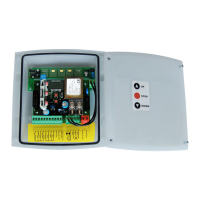
V2 EASY-TOP
8 pages
Print Icon
To Next Page IconTo Next Page
Loading...
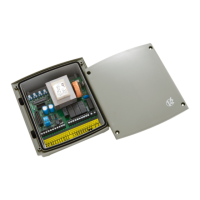
EASY-TOP
I
L n. 312
EDIZ. 31/07/2014
V2 S.p.A.
Corso Principi di Piemonte, 65/67
12035 RACCONIGI (CN) ITALY
tel. +39 01 72 81 24 11 - fax +39 01 72 84 050
info@v2home.com - www.v2home.com
CENTRALE DI COMANDO DITALE
PER SERRANDE AVVOLGIBILI
DIGITAL CONTROL UNIT FOR
ROLLER SHUTTERS
ARMOIRE DE COMMANDE DIGITALE
POUR STORES
CUADRO DE MANIOBRAS DIGITAL
PARA PERSIANAS ENROLLABLES
QUADRO ELÉCTRICO DIGITAL
PARA ESTORES DE ENROLAR
DIGITAL STEUERUNG FÜR ROLLTORE
DIGITALE STUURCENTRALE VOOR ROLLUIKEN
I
GB
F
E
P
D
NL
Question and Answer IconNeed help?

Do you have a question about the V2 EASY-TOP and is the answer not in the manual?

V2 EASY-TOP Specifications

General IconGeneral
BrandV2
ModelEASY-TOP
CategoryControl Unit
LanguageEnglish

Summary

Important Remarks

Declaration of Conformity

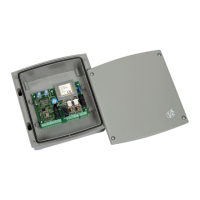
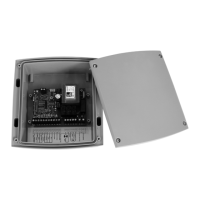
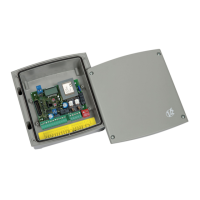
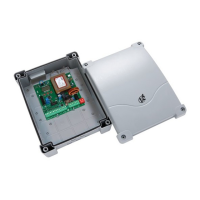
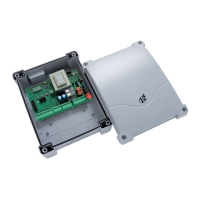
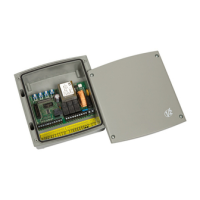
Description of the Control Unit

Technical Specifications

Electric Connections

Optical Edge Installation

Fire; Allarm Input

Plug In Receiver

Operation with a Timer

Case with Keypad

Cable Gland Assembly

Control Panel

Programming

Function Parameters

Photocell Active During Opening and Closing

Defines photocell behavior during opening and closing phases for safety.

Photocell Test Active

Enables testing of photocell operation with each command.

Resistive Rubber; Optical Safety Edge

Configures the input for mechanical or optical safety edges with active testing.

Alarm Function

Configures the input for an anti-theft alarm command.

Limit Switch Function

Configures the input for either opening or closing limit switches.

Flashing Light; Courtesy Light

Sets the output behavior for flashing indicators or courtesy lighting.

End of Cycle Active Signal

Enables a signal at cycle end to activate energy saving mode.

Up;Down Logic

Defines independent control of opening and closing via dedicated inputs.

Start Active While Opening

Allows the start command to interrupt the opening sequence.

Automatic Logic

Sets an automatic operational cycle with a pause before closing.

Dead Man Logic

Dead Man Logic Active

Requires continuous button press for opening or closing operations.

Emergency Dead-Man Function

Activates dead-man mode when safety devices fail, allowing manual control.

Dead Man Logic from Button and Transmitter

Enables dead-man logic control via buttons and radio transmitter.

Dead Man Logic Activated Only During Closing

Restricts dead-man logic activation to the closing phase.

Pre-Flashing Activated

Activates flashing light for 1s before opening, 3s before closing.

Related product manuals