ENGLISH
- 45 -
10 - EMERGENCY STOP
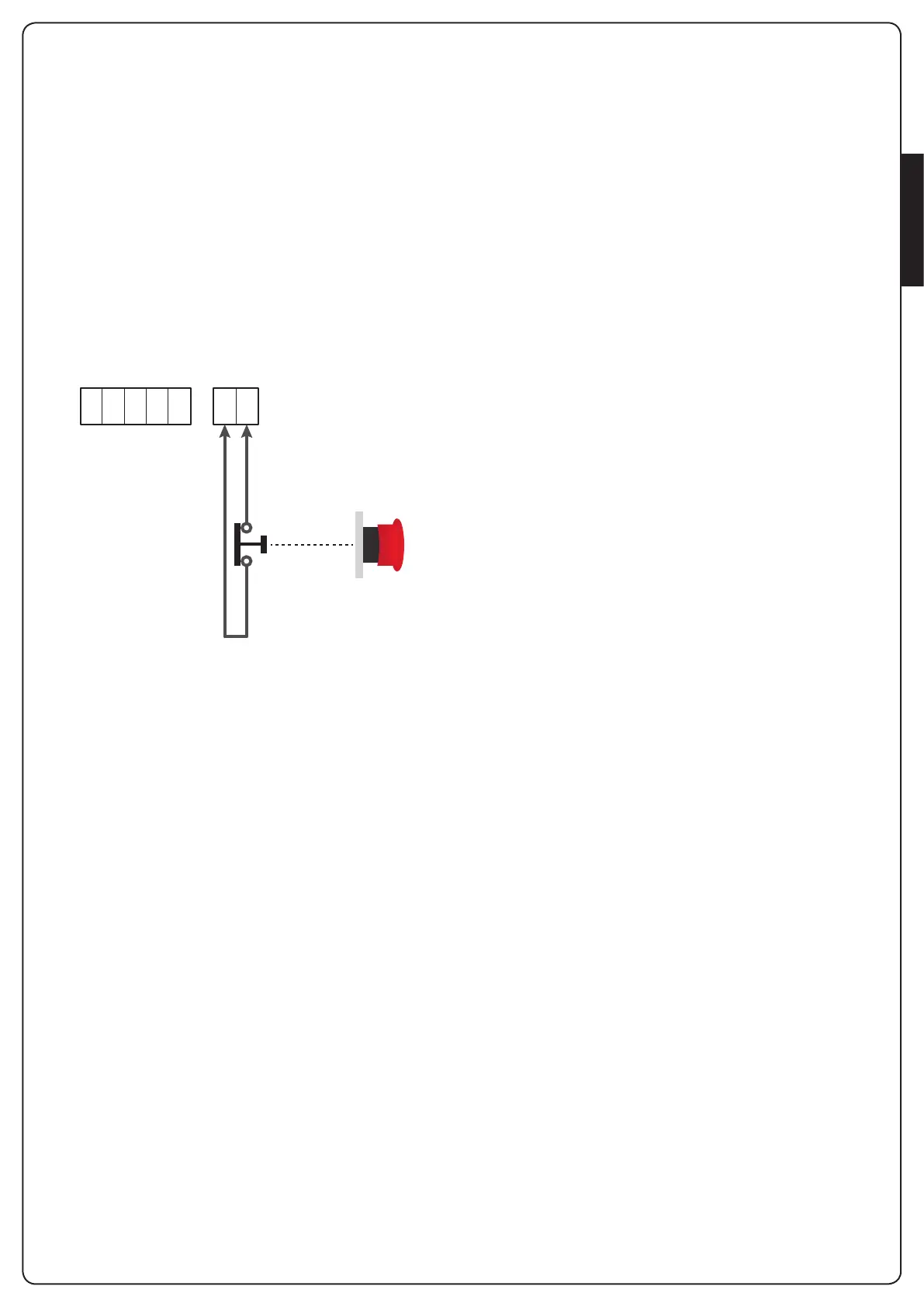
ForaddedsecurityitisOBLIGATORYtoinstallaSTOPswitchthat
whenpressedwillimmediatelyblockautomation.
Theswitchmusthaveanormallyclosedcontact,whichopensin
caseofactivation.
NOTE: terminalsT1andT2areconnectedtoallowstartof
automationbeforeconnectingtheSTOPswitch.
ConnectthecablesoftheSTOPswitchbetweenterminals
T1 andT2 oftheunit.
m CAUTION: if the STOP input is not used, the terminals
T1 and T2 must be bridged.
E1 E2 E3 E4 E5 T1 T2



 To Next Page