Need help?
Do you have a question about the V2 JEDI-L and is the answer not in the manual?
Specifies the voltage and frequency requirements for the actuator.
Indicates the wattage consumption of the JEDI-L actuator.
Defines the maximum power capacity for connected 24V accessories.
Lists the fuse rating for the electrical protection of the device.
Specifies the maximum door surface area the actuator can handle.
States the typical operational speed of the door automation.
Indicates the maximum force the actuator can exert during operation.
Specifies the standard operating force of the actuator.
Defines the operational temperature range within which the device can function.
Specifies the maximum continuous operating duration allowed.
Indicates the enclosure's resistance to dust and water ingress.
States the total weight of the JEDI-L actuator unit.
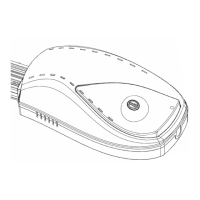
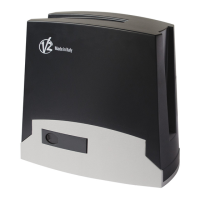
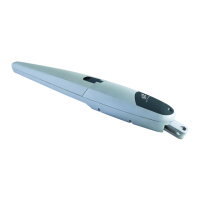
Declares JEDI-L as an electromechanical actuator for garage doors intended for incorporation.
Lists applicable EU directives such as Machinery, Low Voltage, EMC, and Radio.
Information on where national authorities can request technical documentation.
Operate door within view, ensure clear path, never use during service, test obstacle reversal.
Ensure qualified installation, proper electrical connections, and compliance with regulations.
Regularly check door balance, obstacle detection, and mechanical parts for wear.
Use only in dry rooms, avoid dusty/saline/explosive environments, keep children away.
Ensure door is stout, functional, safe, and operates frictionlessly before automation.
Verify engine is steadily fixed and door has an independent anti-fall system.
Confirm door balance and track clearance for counterbalanced doors.
Advised to install geared motor centrally; allow offset for sliding arm accessory.
Illustrates JEDI-L installation with key components and their cable types.
Remove, unfold, and connect section bar pieces, ensuring integrity.
Adjust chain tension and ensure draw slide moves freely along the guide.
Steps for attaching the motor unit to the section bar using adapter and brackets.
Note on mounting the motor rotated by 90° if space is limited.
Remove door lock, measure door, and mark reference points for mounting.
Fasten brackets to crossbeam, hook section bar, and bend pierced bars.
Fix pierced bars to brackets and anchor automation to ceiling using appropriate screws.
Specific instructions for attaching draw slide, bar, and arm for sectional/spring doors.
Instructions for attaching arch arm and bar for counter-weighted doors.
Pull knob downwards for internal release; use accessory kit for external release.
CAUTION: Do not open door with knob or hand objects off release cord.
Control panel is pre-cabled; plug into electrical outlet for programming.
Diagram provided for connecting photocells and START button to the control panel.
Move door, power up; incomplete programming resets parameters. Note limit switch order.
Procedure to set the fully open position and save the setting.
Procedure to set the fully closed position and save the setting.
Procedure to learn door forces by opening and closing; confirm and save.
Adjust obstacle detection sensitivity using + and - keys; save setting.
Select which remote button controls the motor; assign button and save.
Activate beep alarm for doors open >10 min; deactivate by closing door.
Activate automatic closure after a set time; includes pre-closing beeps.
Select desired pause time for automatic closure using + and - keys.
Activate beep alarm for motor reaching 2000 operational cycles for maintenance.
Procedure to exit programming mode and store all parameter settings.
Procedure to add up to 15 remote control units to the system.
Refer to section 5 for selecting the remote control button to be used.
Procedure to remove all programmed remote controls from the device.
Explains meanings of display messages L, F, H, and A for system status.
 General
| Brand | V2 |
|---|---|
| Model | JEDI-L |
| Category | Controller |
| Language | English |

 To Next Page