Operating 4
0020135485_00 VRT 350 Operating instructions 11
4.1.4.5 Desired temperature
Depending on the operating mode, the desired temperature
may be greyed out on the basic display. This is the case, for
example, in «Summer mode». As heating is not operational
in «Summer mode», and therefore the heating circuit is off,
there is no desired temperature.
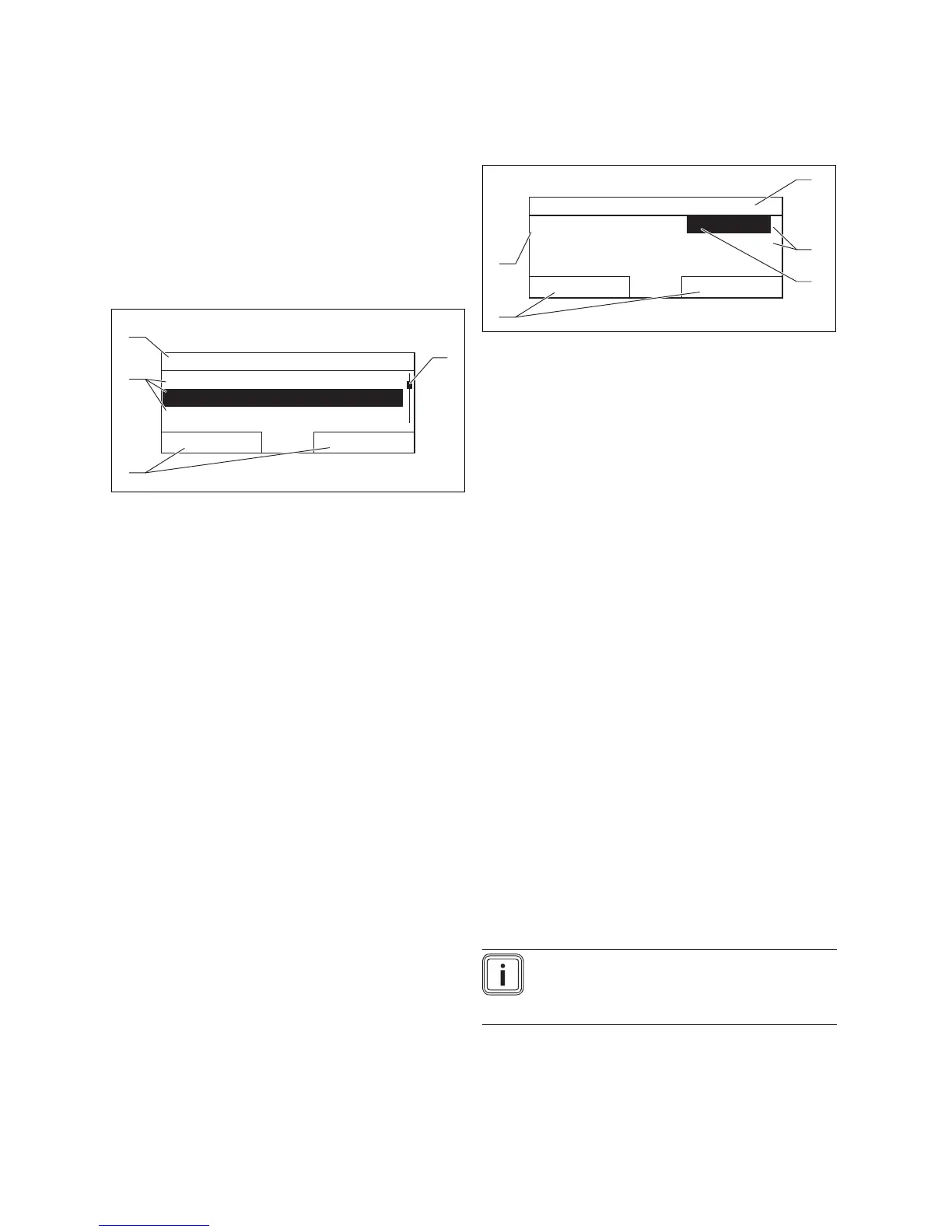
4.1.5 Selection level
Menu
Information
Desired temperatures
Time programmes
Back
Select
1
4
3
2
Image 4.2: Display fields in the selection levels
1 Scroll bar (only appears if
there are more list entries
than can be shown at
once on the display)
2 Current functions of
the right and left-hand
selector buttons (soft key
functions)
3 Selection level list entries
4 Current function or selec-
tion level
Through the selection levels, you navigate to the setting
level in which you wish to read or change settings.
4.1.6 Setting level
HEATING 1
Day
Night set-back
Back
Change
20,0°C
15,0°C
1
3
2
5
4
Image 4.3: Display fields in the setting level
1 Current selection level
2 Values
3 Highlighting (white font
on black background)
shows the current selec-
tion.
4 Current functions of
the right and left-hand
selector buttons (soft key
functions)
5 Setting level
In the setting level, you can select the values you wish to
read or change.
4.2 Operating concept
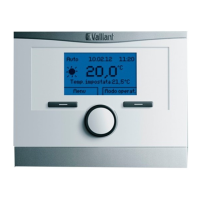
The controller is operated using two selector buttons and a
rotary knob (→ Page 8).
You can use the selector buttons to
– navigate through the selection levels and the setting
level in the menu structure,
– select a setting,
– confirm a value,
– activate an operating mode,
– cancel a change to a value.
You can use the rotary knob to
– navigate through the list entries of a selection level by
turning the rotary knob to the left or right
– highlight a selection level or a setting level,
– change a selected value.
The display shows a highlighted selection level, a setting
level or a highlighted value with white font on a black back-
ground. A flashing highlighted value means that you can
change the value.
Note
If you do not operate the controller during
a period of more than 5 minutes, the basic
display appears in the display again.


 To Next Page