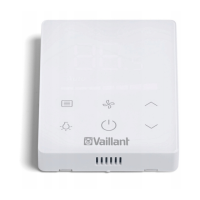
4 Operating
16 Operating instructions VRT 350 0020135485_00
4.4 Overview of setting and read-out options
4.4.1 Using the overview in table format
You will find below an overview of the setting and read-out
options.
– If the "Increment/Select" column is blank, these are val-
ues that you can read but not adjust.
– If a value cannot be set at the factory, for example be-
cause it is currently being measured, the "Factory reset"
column will be blank.
– If nothing is entered in the "Selection level 2" column,
you will be taken from "Selection level 1" directly to the
"Setting level".
4.4.2 Entering your own settings
▶ In the last column, "Own setting", enter the values that
have been set by you.


 To Next Page