Operating and display functions 5
0020135485_00 VRT 350 Operating instructions 21
5.2.2.2 Setting time periods for days and blocks
You can set individual days or blocks of days for which the
time periods should apply:
– Monday, Tuesday, Wednesday, Thursday, Friday, Sat-
urday, Sunday
– Monday - Friday, Saturday - Sunday, Monday - Sunday
For each day and block, you can set up to three time peri-
ods.
Note
The time periods set for a day have priority
over the time periods set for a block.
Example: Time periods for individual days
Desired temperature «Day»: 21 °C
Desired temperature «Night»: 16 °C
Time period 1: 06.00 - 08.00
Time period 2: 16.30 - 18.00
Time period 3: 20.00 - 22.30
Within the time periods, the controller brings the room tem-
perature to the set desired «Day» temperature (Comfort
mode).
Outside the time period, the controller brings the room
temperature to the set desired «Set-back» temperature
(Set-back mode).
Example: Time periods separate for each day
Monday
Time period 1: 06.00 - 07.30
Saturday
Time period 1: 07.30 - 10.00
Time period 2: 12.00 - 23.30
Example: Time periods for blocks
Monday - Friday
Period 1: 06:30 - 08:00
Period 2: 12:00 - 13:00
Period 3: 17:00 - 22:00
Saturday - Sunday
Period 1: 08:00 - 22:00
5.2.2.3 Setting time programmes quickly
If, for example, you require a different time period for just
one working day in the week, first set the times for the en-
tire block «Monday - Friday»". Then set the deviating time
period for the working day.
5.2.2.4 Display and change deviating times in the
block
Monday - Sunday
Period 1:
Period 2:
Period 3:
!! : !! - !! : !!
!! : !! - !! : !!
!! : !! - !! : !!
Back
Select
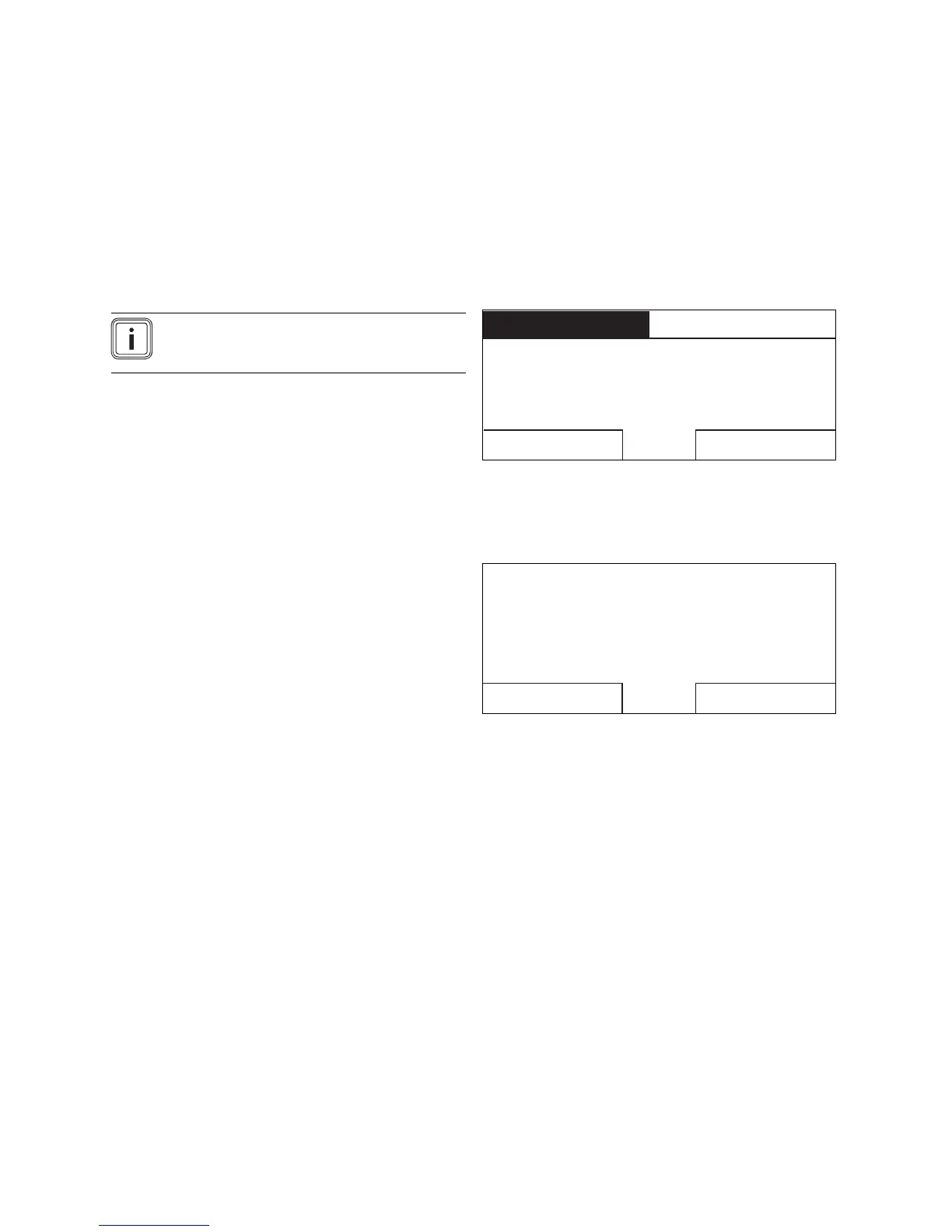
Image 5.2: Identification of different days
If you view a block in the display and have defined a deviat-
ing period for a day in this block, then the display indicates
the deviating times in the block with «!!» .
Individual days
vary from
Mo - Su block.
OKBack
Image 5.3: Exception to the time programme message
If you press the right-hand selector button «Select», a mes-
sage appears on the display which informs you about devi-
ating periods. You do not need to align the times.
The set times for the block marked with «!!» can be viewed
and changed if you press the right-hand selector button
«OK» in the display.
5.2.2.5 For the heating circuit
«Menu» → «Timer programs» → «HEATING 1»
– The time programmes are only effective in the «Auto-
matic mode» (→ Page 24). The desired temperature that
you set in the «Desired temperatures» function applies
in each set time period. Within the time period, the con-
troller switches to Comfort mode and the heating cir-
cuit heats the connected rooms up to the desired «day
temperature». Outside this time period, the controller
switches to the set-back mode and the heating circuit
heats the connected rooms to the desired «set-back
temperature».


 To Next Page