List of Figures
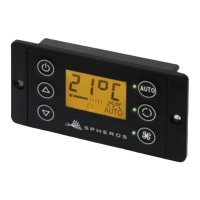
Figure 1 - SC600 control panel .................................................................................. 4
Figure 2 - SC600 display ......................................................................................... 4
Figure 3 - SC600 mode overview ............................................................................... 5
Figure 4 - SC600 start display ................................................................................... 6
Figure 5 - SC600 deactivation ................................................................................... 6
Figure 6 - SC600 Auto mode activated ........................................................................ 6
Figure 7 - SC600 Auto mode activated, Cooling mode ...................................................... 6
Figure 8 - SC600 Auto mode activated, Heating mode ...................................................... 6
Figure 9 - SC600 Auto mode deactivated ..................................................................... 7
Figure 10 - SC600 setting the blower level manually ........................................................ 7
Figure 11 - SC600 recirculating air function activated ....................................................... 8
Figure 12 - SC600 setting the temperature .................................................................... 8
Figure 13 - SC600 dehumidify activated ....................................................................... 9
Figure 14 - SC600 errors ......................................................................................... 9
Figure 15 - SC600 Error detection mode ...................................................................... 9
Figure 16 - SC600 normal operating display .................................................................. 9
List of Tables
Table 1 - Error code overview ................................................................................ 10



 To Next Page