2.3 Configuring the blowers manually
2.3.1 Activating the controller manually
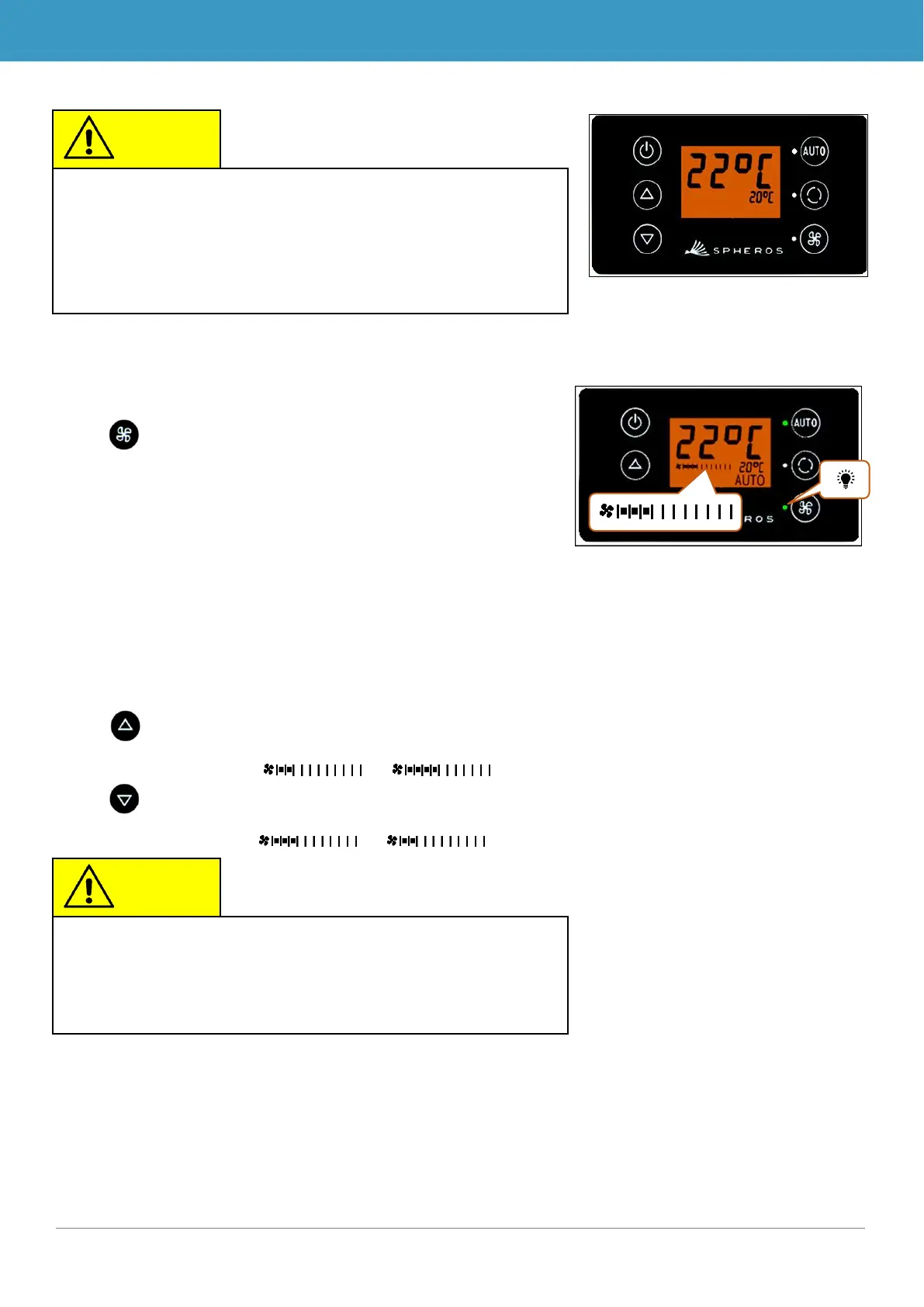
Press button
➔ Manual operation of the blower is activated - the
blower will continue running at the current speed.
➔ The blower level can be manually set 3 seconds after
pressing the blower level button (the corresponding
status light blinks during this time).
2.3.2 Setting blower level
The blower can be set in level increments of 0 (blower speed = 0%) to 10 (blower speed =
100%).
Press button
➔ Blower level +1 ( → ).
Press button
➔ Blower level -1 ( → ).
When Auto mode is deactivated, the air conditioning com-
pressor (after a run time of 90 seconds max.) and the heater
The blowers will continue to be controlled automatically if the
blower level was not manually configured.
Configurations can only be applied within the permitted limits
(e.g. vehicle motor off → blow speed max. 25%).
If the blower is set below 20%, the cooling and heating func-
Figure 10 - SC600 setting the blower
level manually
Figure 9 - SC600 Auto mode
deactivated



 To Next Page