© 2000 Directed Electronics, Inc. Vista, CA 35
shutdown diagnostics
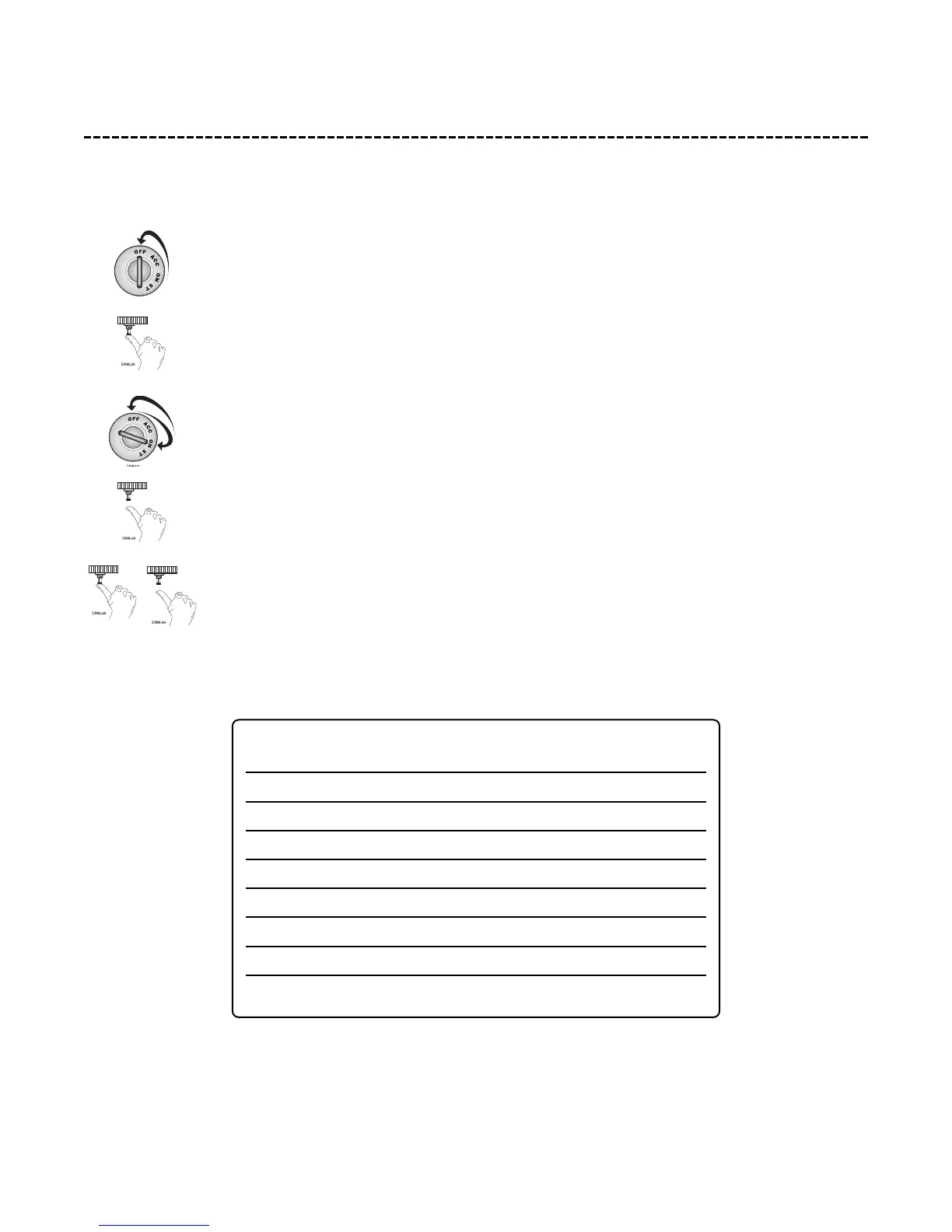
The unit has the ability to report the cause of the last shutdown of the remote start system. To enter diagnostic mode:
1. Turn the ignition off.
2. Press and HOLD the Program switch.
3. Turn the ignition on and then off.
4. Release the Program switch.
5. Press and release the Program switch.
The LED will now report the last system shutdown by flashing for one minute in the following grouped patterns:
The LED will stop flashing when the ignition is turned on.
LED SHUTDOWN
FLASHES MODE
One System timed out
Two Over-rev shutdown
Three Low or no RPM
Four Transmitter Shutdown (or optional push-button)
Five (-) Shutdown
Six (+) Shutdown
Seven (-) Neutral safety shutdown (H2/6 BLACK/WHITE)
Eight Wait-to-start timed out



 To Next Page