32
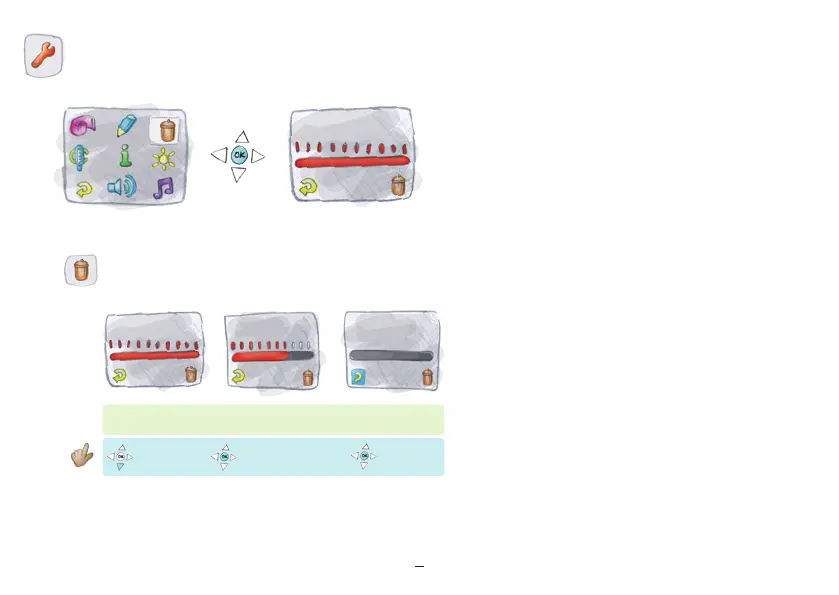
To delete all your personal data and measurements press the “OK”
button in the delete menu 10x in a row. The indicator bar will decrease
step by step. If you press another key (left, right, up, down), the indicator
bar will revert back to the starting position and you have to press the
“OK” button 10x again in order to do the deletion. After deletion, the
individual displays will only show the sample values like a new device.
After the first new temperature measurement, the sample data will be
automatically deleted.
Cancel
“Return”
Confirm by pressing
“OK” 10 times to
completely delete data.
“Return” illuminated
Press “ok”
“Return”
Deleting data


 To Next Page