28
USING THE UNIT
SETTINGS
TIME AND DATE
Setting the time and date
The available time settings are:
• Time
• 24- or 12-hour clock
• Automatic daylight saving time
• Date
NOTE
The ventilation unit time will withstand a power cut of a few
hours.
Setting the time
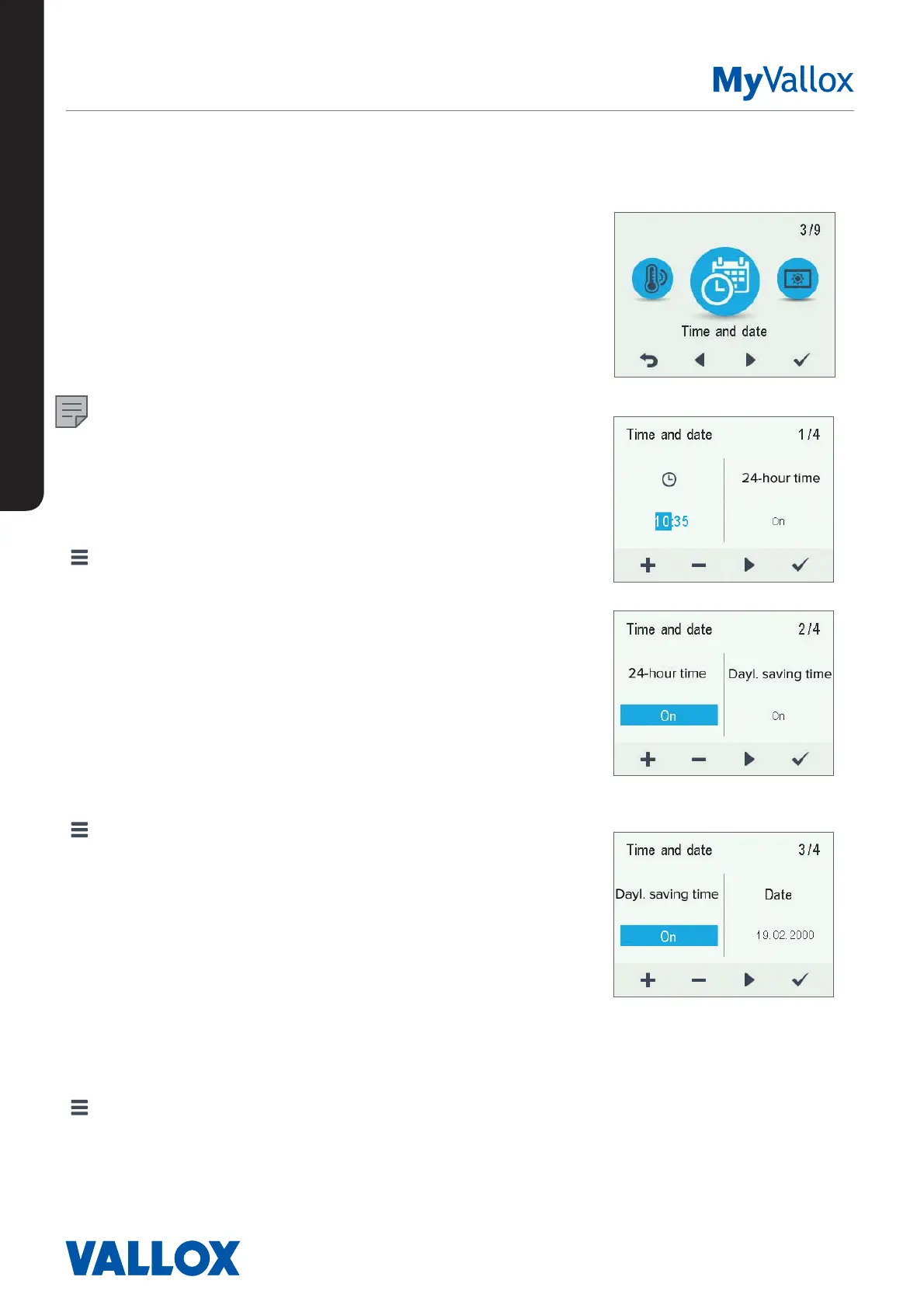
1. Select Settings > Time and date.
2. Select OK.
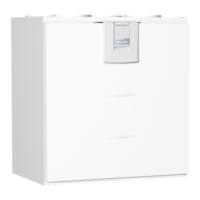
3. Use the Plus and Minus buttons to set the hours.
4. Select Right arrow.
5. Use the Plus and Minus buttons to set the minutes.
6. Select OK.
Selecting the 24- or 12-hour clock
The 24-hour clock is used by default. To use the 12-hour
clock:
1. Select Settings > Time and date.
2. Select OK.
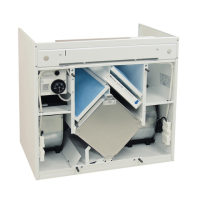
3. Select Right arrow until the 2/4 display opens
4. Select Minus. The 24-Hour setting value is changed to
O.
5. Select OK.
Automatic daylight saving time
By default, automatic daylight-saving time is turned on. To
use the manual daylight saving time setting:
1. Select Settings > Time and date.
2. Select OK.
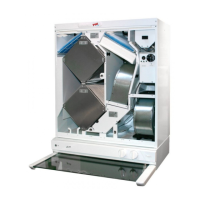
3. Select Right arrow until the 3/4 display opens.
4. Select Plus. The Dayl.saving time setting value is
changed to O.
5. Select OK.


 To Next Page