31
© Vallox Oy - All rights reserved
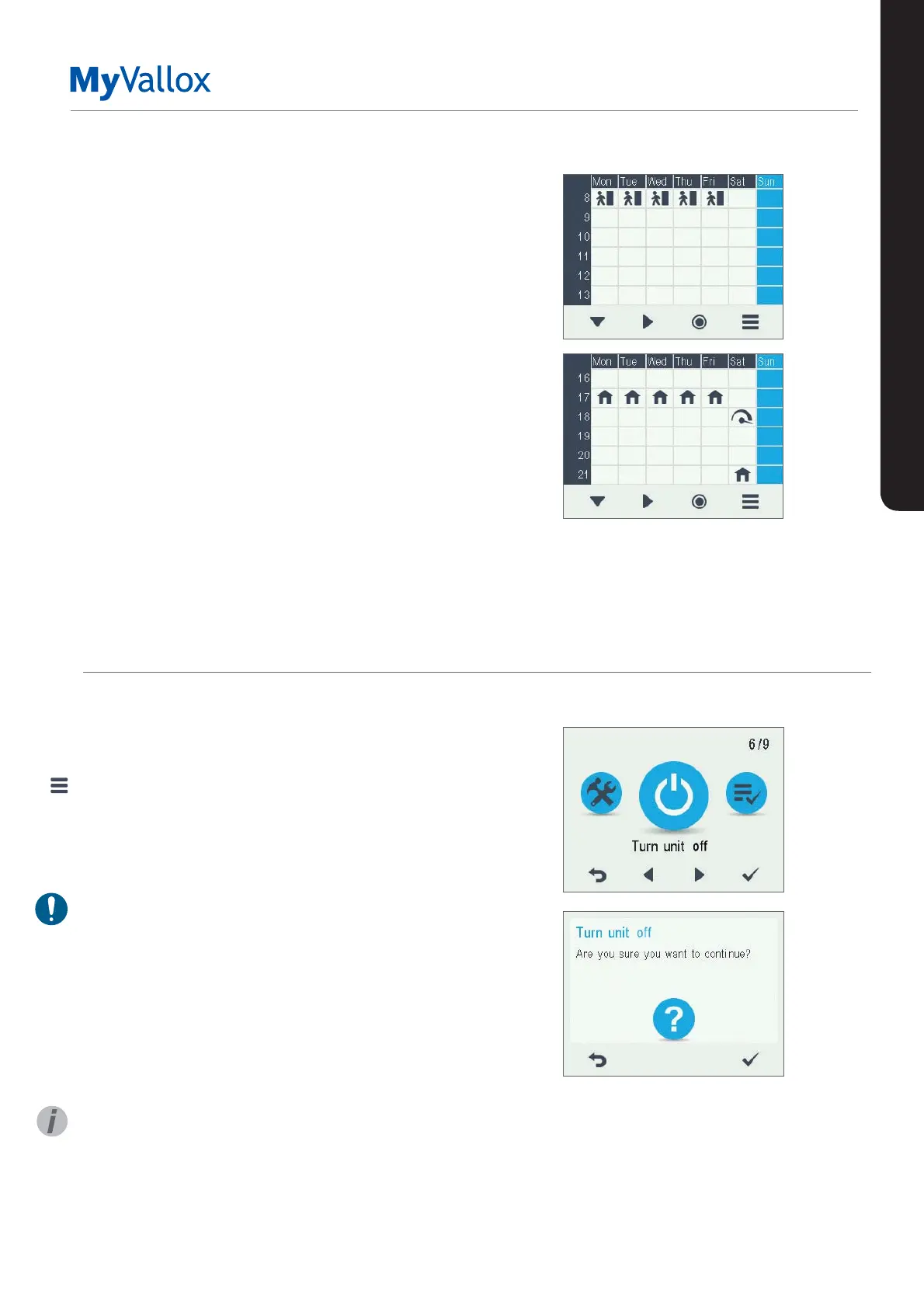
Example of setting a weekly program
In this example, the following weekly program has been set:
• Mon-Fri 8-17, Away .
• Mon-Fri 17-07, At home.
• Sat 8-17, At home.
• Sat 18-20, At home with a ventilation boost needed for
cooking, for example.
• Sat 21-Mon 8, At home.
To set the week clock, proceed as follows:
1. Open the week clock.
2. Select Monday, and input the following settings:
• For 08:00, select the Away profile.
• For 17:00, select the At home profile.
3. Then input the corresponding settings for the other
weekdays.
4. Then select Saturday, and input the following settings:
• At 18, select the Boost profile.
• At 21, select the At home profile.
5. Ensure that the Week clock is turned on.
6. The weekly program has now been set.
USING THE UNIT
TURNING THE UNIT OFF
To turn the ventilation unit o:
1. Select Settings> Turn unit o.
2. Select OK.
3. Accept the command by selecting OK.
4. The ventilation unit has now been turned off.
IMPORTANT
In order to ensure that the indoor air presents no harm
to health and remains optimal for the structures of the
building, ventilation must be kept on without disruptions. It is
recommended that ventilation be left turned on during long
holidays also. This keeps the indoor air fresh and prevents
humidity from condensing in the ventilation ducts and
structures. It also reduces the risk of moisture damage.
TIP
To re-start the ventilation unit, press any key.
The figures above show the
aforementioned settings in the
week clock.
SETTINGS


 To Previous Page