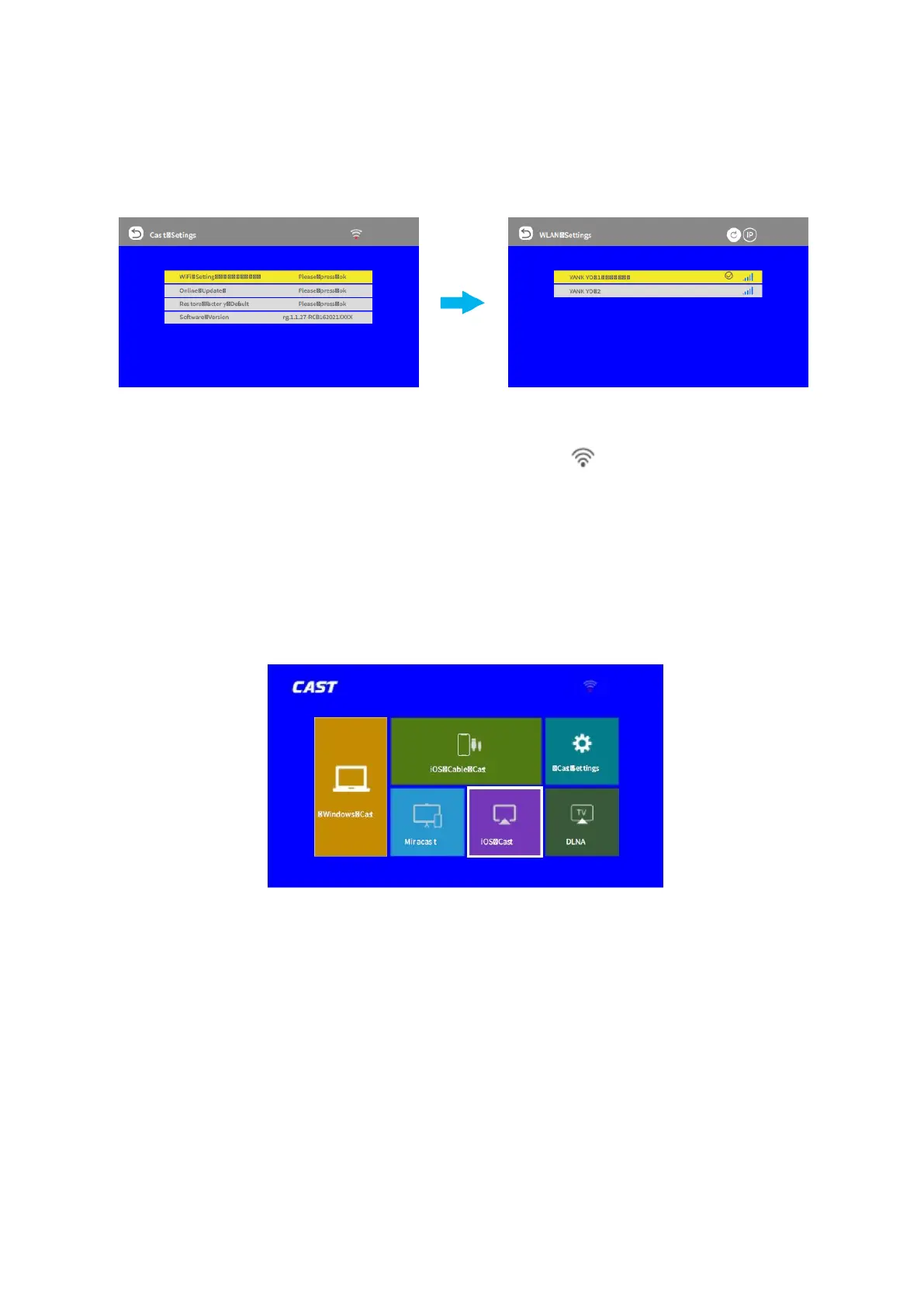
11
2. Select Cast Settings > Wi-Fi setting to search and connect the projector to your router’s
Wi-Fi.
Tip: You can also go to the homepage and select the icon , or go to Settings > Other
Settings > Wi-Fi Setting to connect the projector to your router’s Wi-Fi.
3. Enter the Wi-Fi settings of your iOS device and connect it to the same router’s Wi-Fi.
4. Return the screen back to the CAST interface, then select iOS Cast to enter the
following interface.
Mirror your iPhone, iPad or iPod touch:
Make sure that your iOS device is connected to the same network as your projector, or
connect iOS device with AP by projector:
1. On your iOS device, open control centre and tap Screen Mirroring
2. Looking for devices that can be mirrored on.
3. Select V700W-XXXX-(icast) from the list.













 To Next Page