12
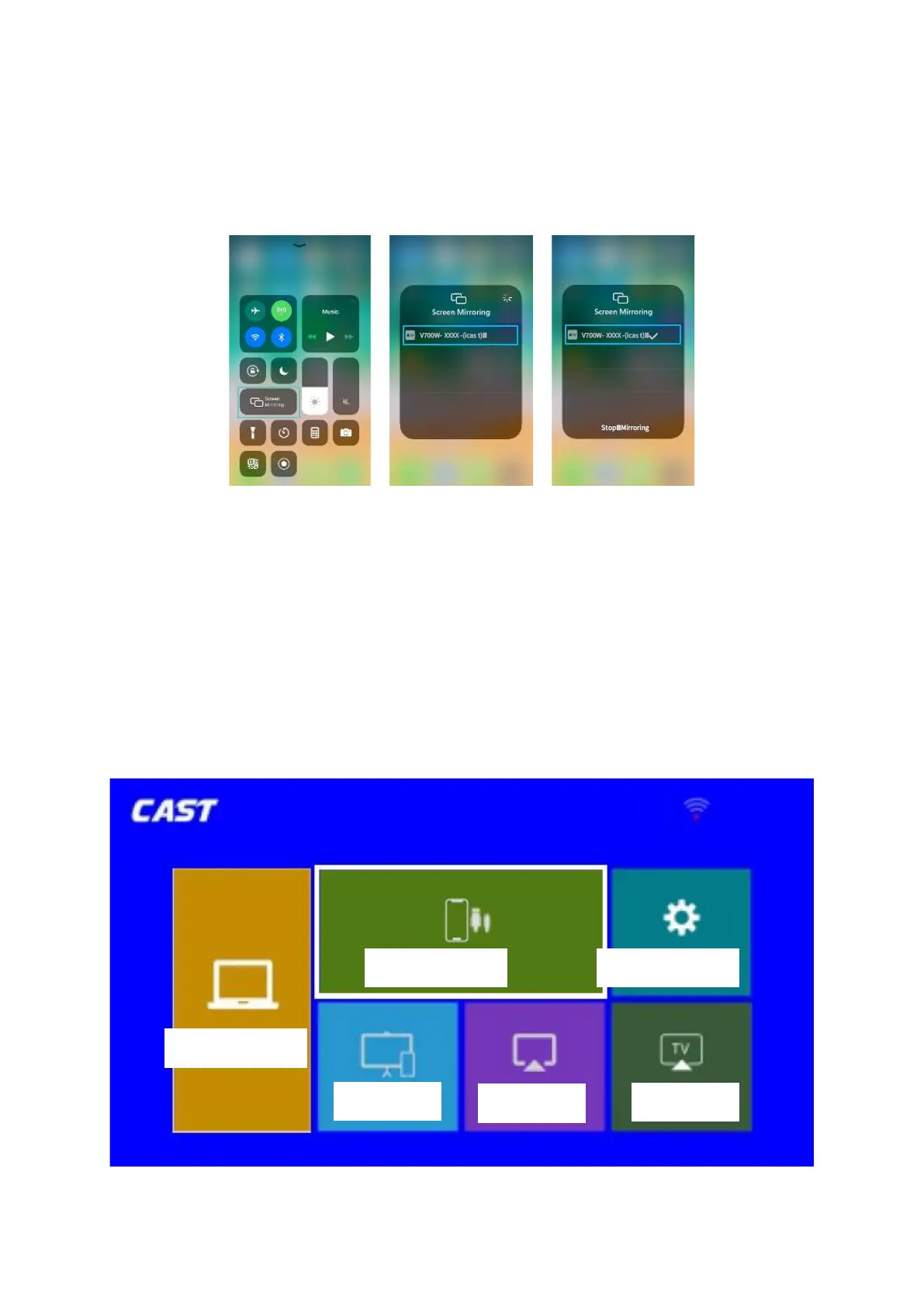
5. Activate Screen Mirroring / AirPlaying Mirroring in the Control Centre of your iOS
device and search for the projector.
6. Select V700W-XXXX-(icast) from the searching list. The contents on your iOS device will
be mirrored on the projection screen/wall after a successful connection.
Tip: To activate screen mirroring function on your MacBook, please follow the steps
below:
1. Click on the icon of the control centre on top of the Mac Screen.
2. Click on the Mirroring to search for the projector.
3. To connect select V700W-XXXX-(icast).
Screen mirroring via a Lightning Cable
1. Go to Homepage >. Input Source, select MULTISCREEN as the input source to centre
the CAST interface.
2. Select iOS Cable Cast to enter the following interface













 To Next Page