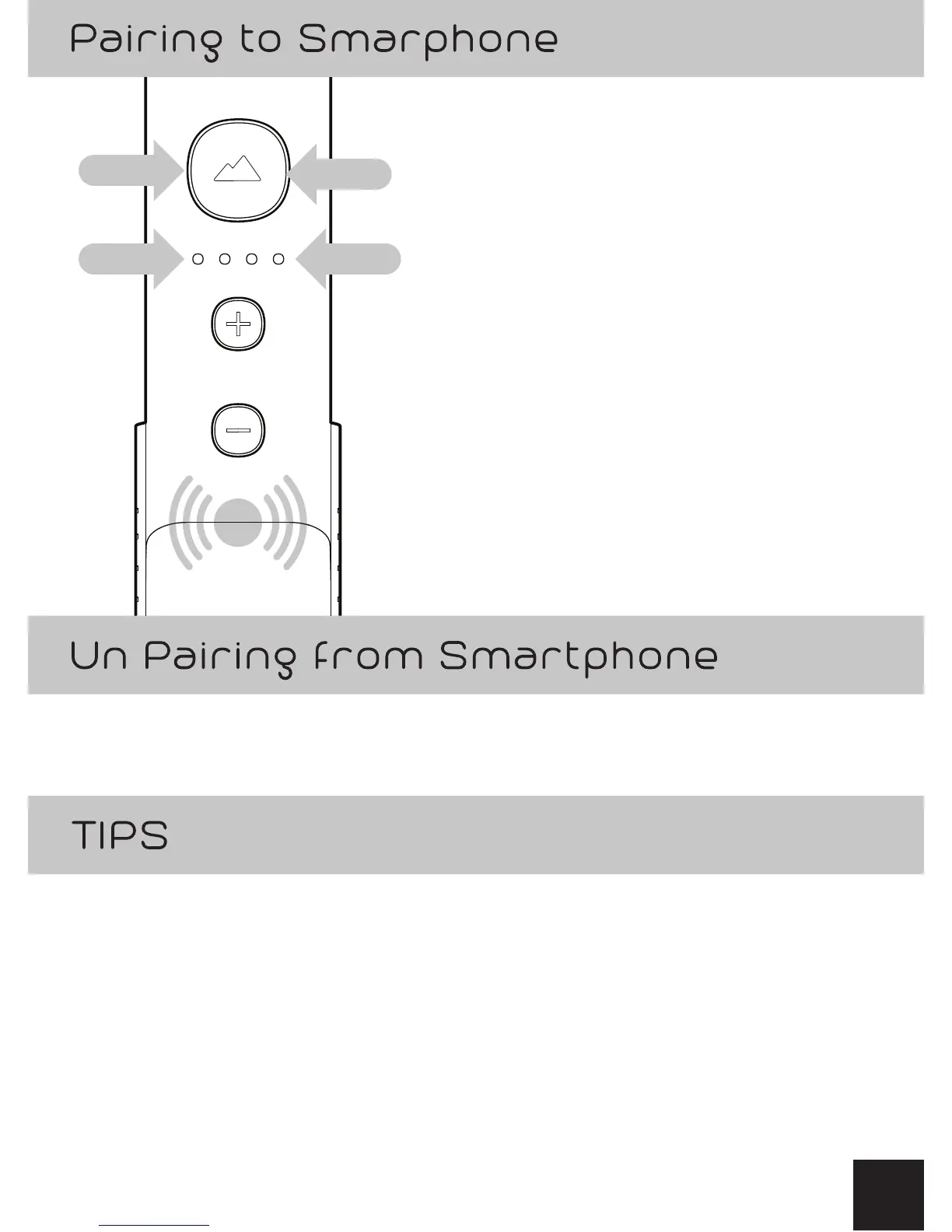
1) Press and Hold GO Button
for 3 seconds until it lights up Blue.
2) Feel the Vibration Notification.
3) Battery Level is displayed for 1 second.
4) Blinking Temperature LED indicates
warming of the heating chamber.
5) Enable Bluetooth® on Smartphone
6) Scan for VAPIUM SUMMIT
7) Launch VAPIUM smartphone APP
8)Select Settings in the APP
9)Select VAPIUM SUMMIT
from the list of available devices
10) Flashing Blue GO Button indicatges
SUMMIT is paired to Smartphone
1) Exit smartphone APP
2) Turn o Bluetooth®
• Battery life is extended on the SUMMIT by not being paired
to the smartphone
• Battery life is extended on the SUMMIT by not being paired
to the smartphone
2
3
1
4
11
10


 To Next Page