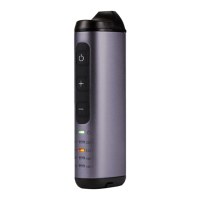
1) Press and Hold GO Button
for 3 seconds until it lights up Blue
2) Feel the Vibration Notification
3) Battery Level is displayed for 1 second
4) Blinking Temperature LED indicates
warming of the heating chamber
5) GO Button Lights up Green
Its GO Time!
1) Press the GO Button
2) Follow steps 2-5 as above
• Heating Chamber heats up in as little as 35-45 seconds.
• Feel free to adjust heating Chamber temperature
up or down with +/- buttons
2
3
1
5
4
4


 To Next Page