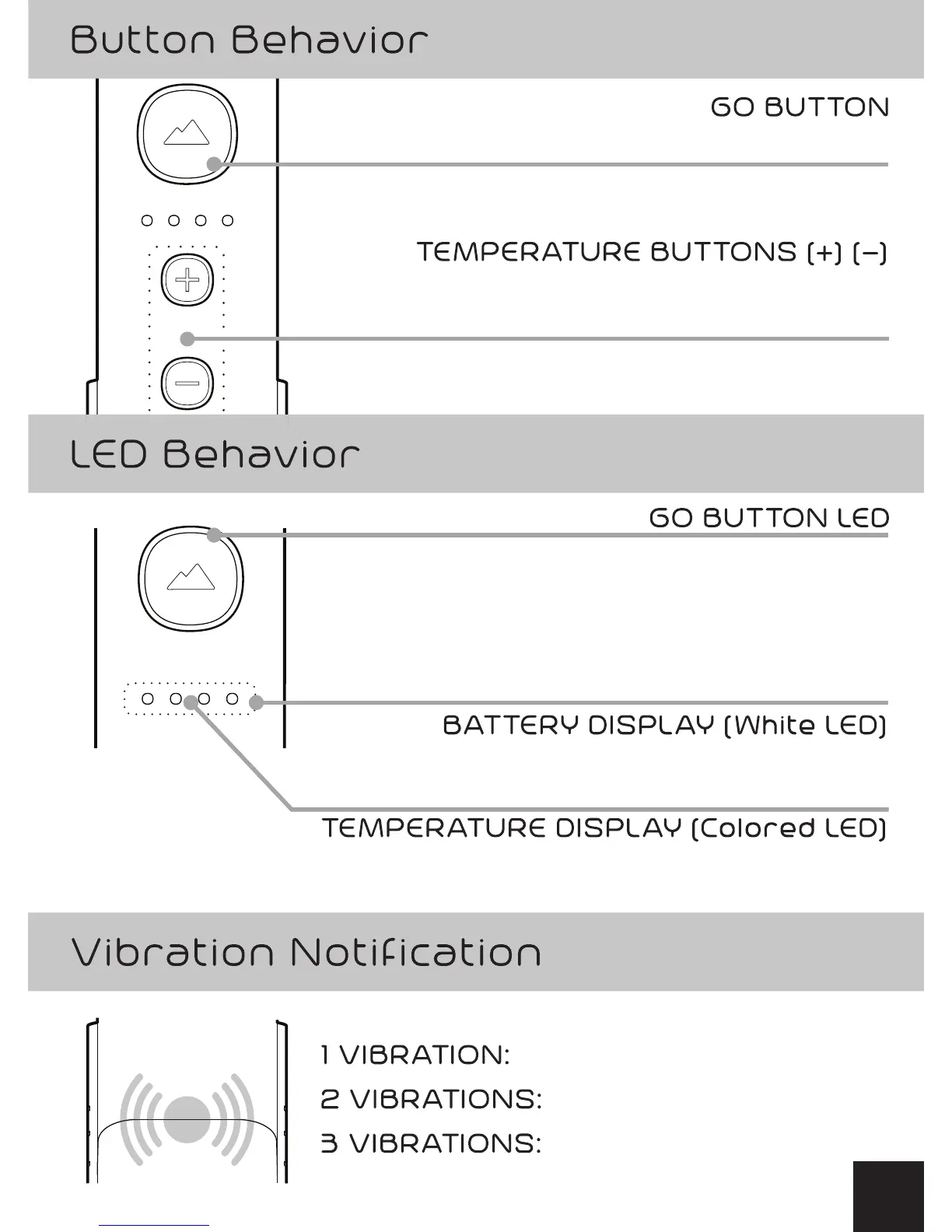
Press and hold 3 seconds: Power ON/ OFF
BLINKING: Heating/Adjusting
SOLID: Maintaining
BLINKING: Charging
SOLID: Battery Level
BLACK: OFF
BLUE (SOLID): Standby
BLUE (FLASHING):Paired to Smartphone
GREEN: GO Time!
RED: Recharge
+ BUTTON: Increase Temperature (press or hold)
-
BUTTON: Decrease Temperature (press or hold)
GO Time
Power ON (into Standby)
Power OFF
Tap for initiating heating in Standby Mode
2


 To Next Page