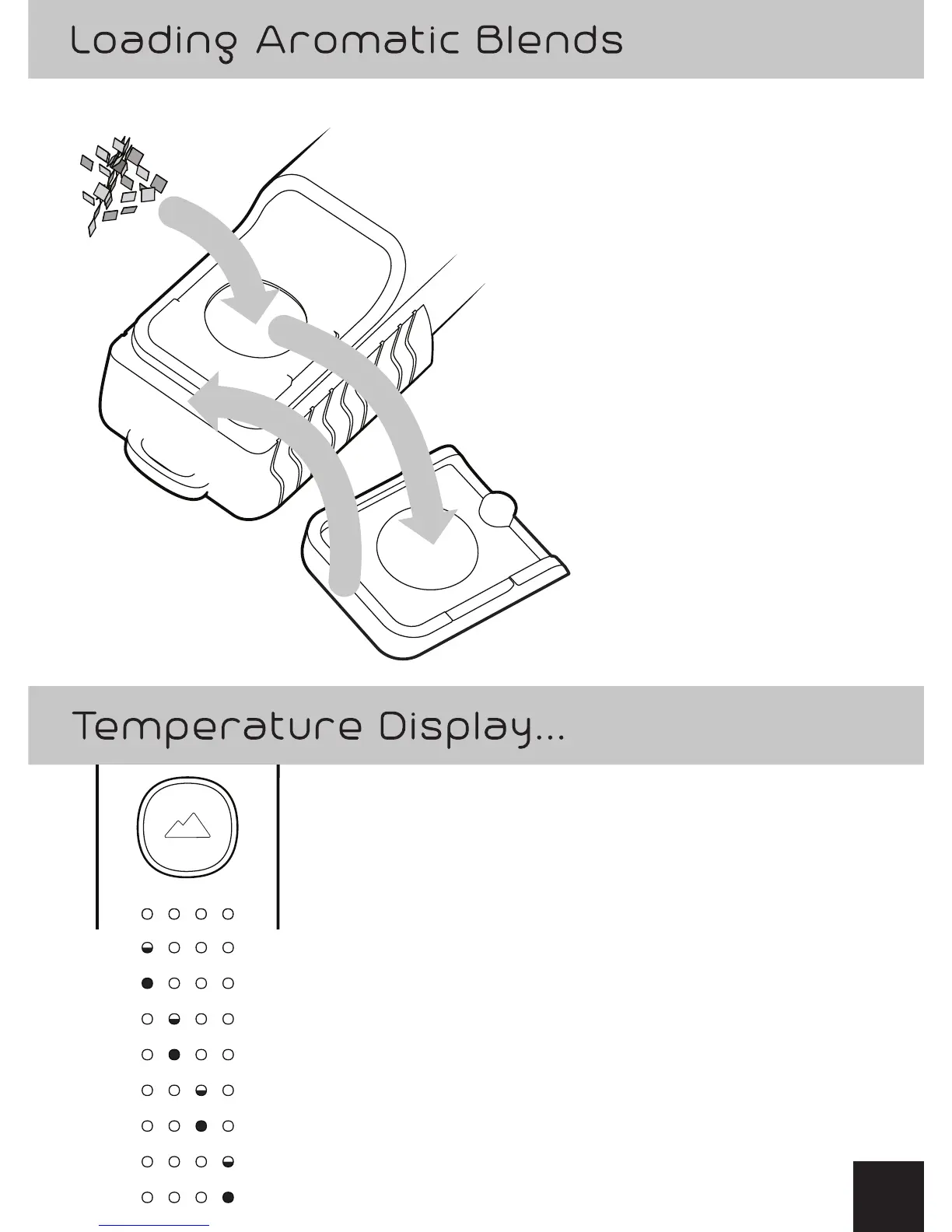
Temp 1 (half BLUE) – 320°F / 160°C
Temp 2 (BLUE) – 338°F / 170°C
Temp 3 (half YELLOW) – 356°F / 180°C
Temp 4 (YELLOW) – 374°F / 190°C
Temp 5 (half ORANGE) – 392 °F / 200°C
Temp 6 (ORANGE) – 410°F / 210°C
Temp 7 (half RED) – 428°F / 220°C
Temp 8 (RED) – 446°F / 230°C
1) Open magnetic lid
to reveal heating chamber.
2) Prepare finely
ground aromatic blends.
3) Fill the heating
chamber to the top.
4) Secure the magnetic lid
over the heating chamber.
2
3
4
1
...And corresponding heating chamber
temperature presets:
3


 To Next Page