3001002 Rev. P Page 11
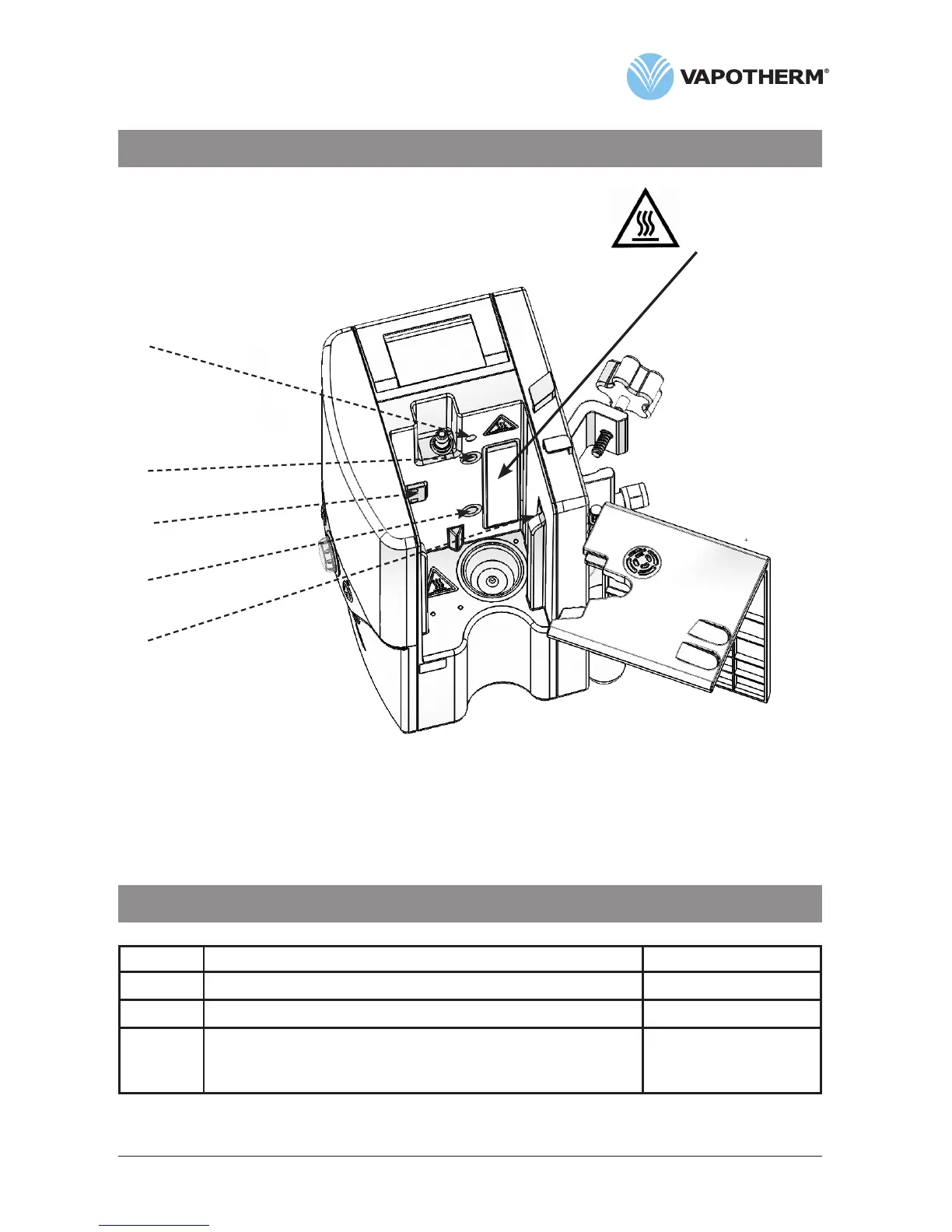
Section 4 Controls, displays & connections
WARNING:
Heater plate may
be hot!
Docking station for disposable water path
Arrows show location of optical sensor ports.
Do not scratch or scrub the ports.
Do not apply organic solvents or bleach.
Section 5 Modes of operation
Mode Action Indicator light color
Sleep Display in sleep mode, no gas flow Amber
Standby Input parameters can be adjusted, no gas flow Amber
Run Warming to set point temperature, gas flow
Unit operating at set point, gas flow
Flashing green
Solid green
See Appendix for a description of the software operating modes.


 To Next Page