Page 8 3001002 Rev. P
Section 4 Controls, displays & connections
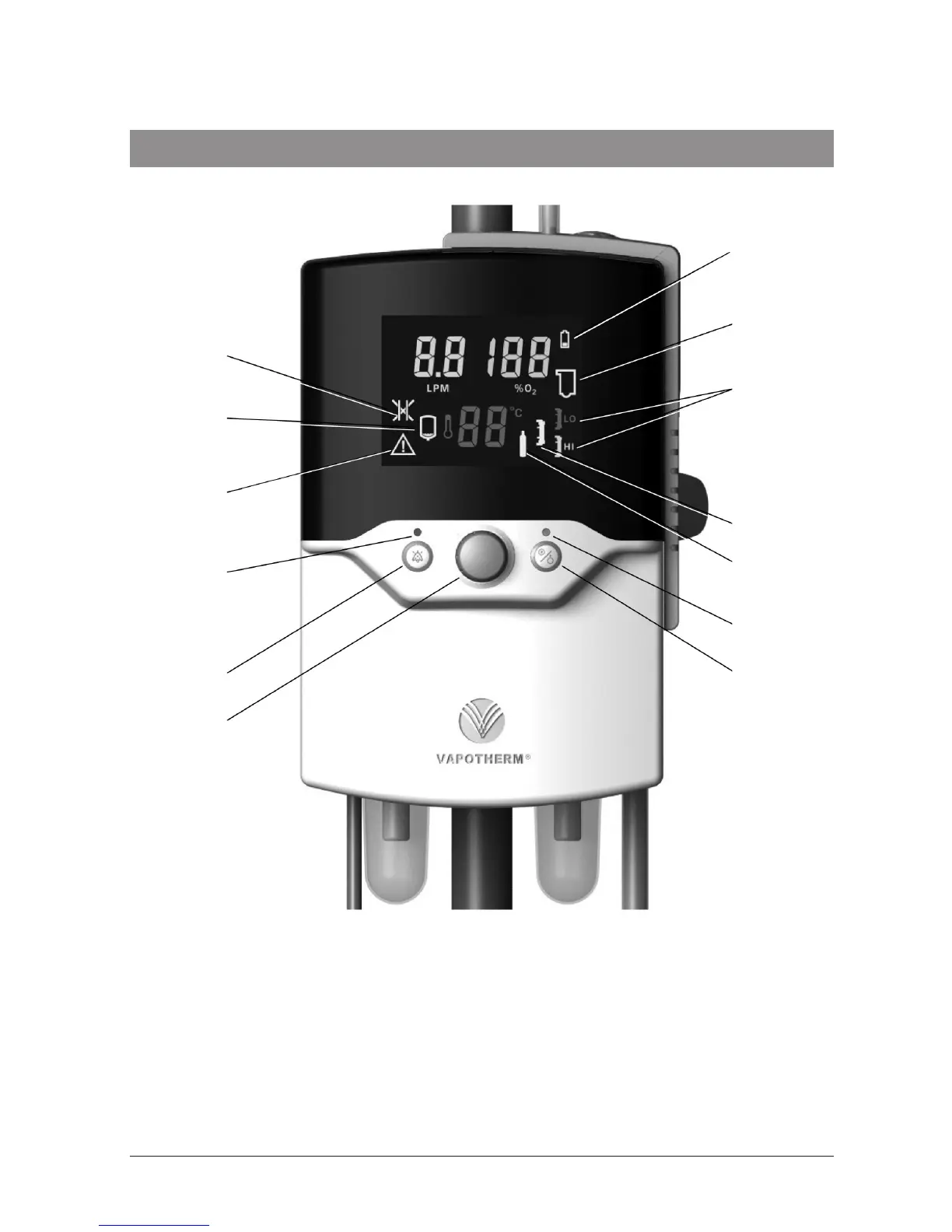
1. Battery low or charging
2. Disposable water path faulty or
absent
3. Vapor transfer cartridge type
4. Vapor transfer cartridge fault
5. Gas supply fault
6. Status LED
7. Run/Standby button (see note)
8. Setting control knob
9. Alarm mute button
10. Alarm muted LED
11. General fault
12. Water out
13. Blocked tube
13
1
12
2
11
3
10
4
9
5
8
6
7
Note:The Precision Flow
®
has no ON/OFF switch. Plug the unit into a wall outlet to keep
the battery fully charged


 To Next Page