3001002 Rev. P Page 9
Section 4 Controls, displays & connections
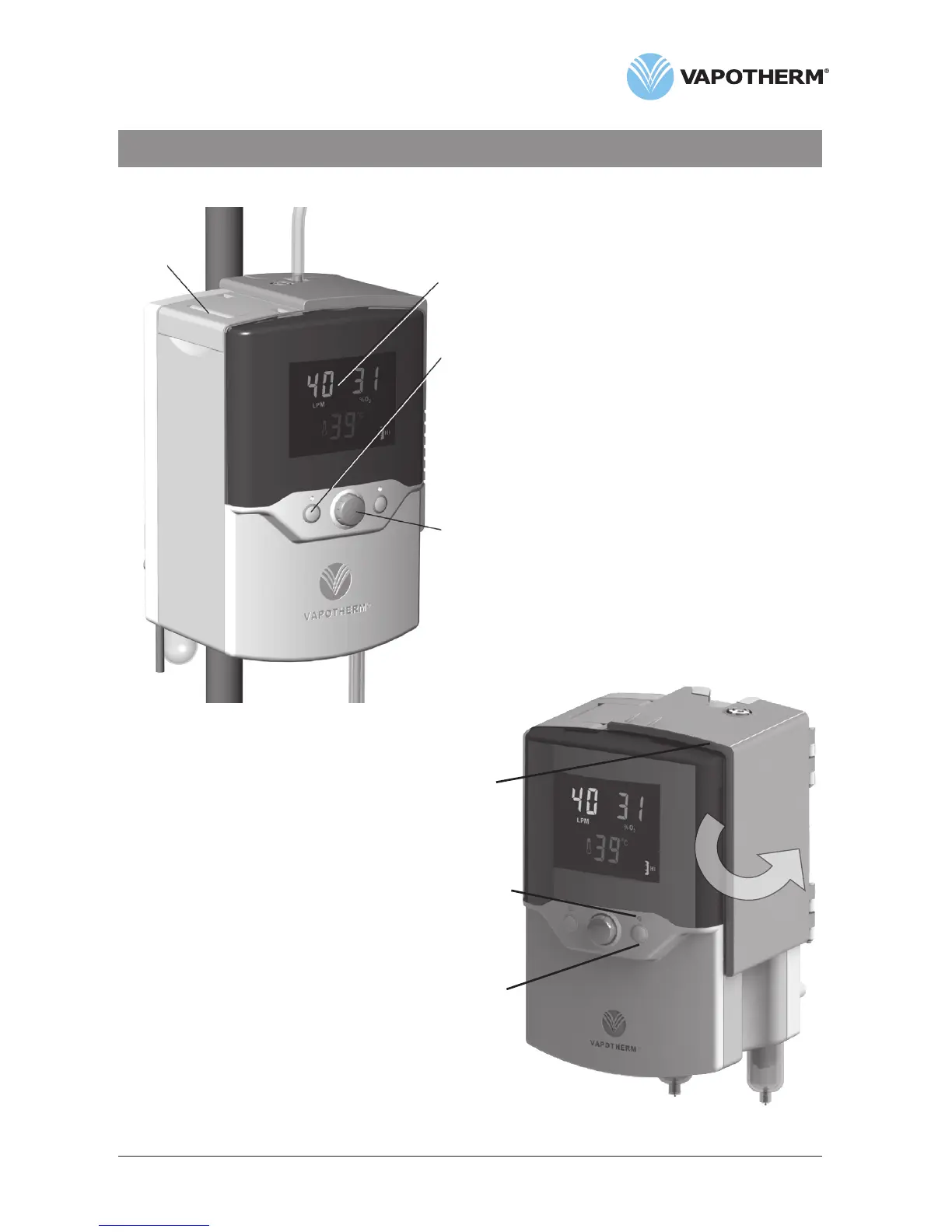
Front view
1. Folding carrying handle
2. Multi-function display:
• Shows set values for oxygen %, flow
and temperature
• Icons indicate alarm conditions
3. Alarm mute:
• Press to silence alarms for up to
2 minutes
• LED indicates one or more alarms are
muted
4. Setting control knob:
• Press to select which variable to adjust
• Rotate to adjust to new value
• Press again to set value
5. Hinged door:
• Opens to install or remove dispos-
able water path
6. Status light:
• Amber in standby
• Flashing green when output does not match
settings (e.g. during warmup)
• Steady green when unit is operating
normally
7. Run/standby button:
• Press to start unit after water and gas are
connected
1
2
3
4
5
6
7


 To Next Page