Need help?
Do you have a question about the Vari 400803 and is the answer not in the manual?
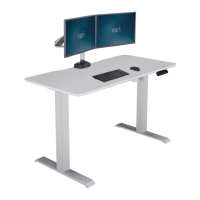
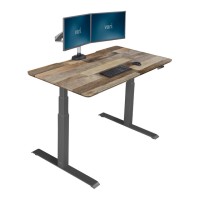
The Vari Electric Standing Desk is a versatile and robust piece of office furniture designed to allow users to easily switch between sitting and standing positions throughout the workday. This manual covers the assembly, setup, and adjustment of the desk, as well as troubleshooting common issues.
The primary function of the Vari Electric Standing Desk is to provide a dynamic workspace that promotes better posture and reduces the health risks associated with prolonged sitting. It features an electric motor system that allows for smooth and quiet height adjustments, enabling users to effortlessly transition from a seated to a standing position and vice versa. The desk is available in three sizes: 48x30, 60x30, and 72x30 inches, catering to different space requirements and user needs. Each desk size is designed to hold a substantial amount of weight, ensuring stability and durability for various office setups. The control panel, typically located on the right or left side of the desk, provides intuitive buttons for height adjustments and memory presets.
The Vari Electric Standing Desk boasts several key technical specifications that highlight its performance and capacity:
Weight Capacity:
Height Adjustment Range: The desk offers a wide height adjustment range from 25 inches (63.5 cm) to 50.5 inches (128 cm). This range accommodates a broad spectrum of user heights, allowing for ergonomic positioning whether sitting or standing.
Control Panel Features: The control panel includes buttons for:
Power Requirements: The desk operates on standard AC power. The power cord (AC) connects to the control box, which in turn powers the leg cables (M1, M2) and the control panel (HS).
Assembly Requirements:
Components Included (for 72x30 desk as an example):
The Vari Electric Standing Desk is designed for ease of use and customization, offering features that enhance the user experience:
Easy Assembly: The assembly process is straightforward, with clear instructions provided. The legs are secured into grooved areas on the metal frame, and the control box is installed in the middle cavity. The control panel can be attached to either the right or left side of the desk, depending on user preference, using pre-drilled holes. Adhesive clips are provided for cable management, helping to keep the workspace tidy.
Programmable Height Presets: Users can program up to four preferred height settings using the "M" button on the control panel. This allows for quick and precise transitions between favorite sitting and standing heights without manual adjustment each time. To program a preset, adjust the desk to the desired height, press "M," and then press the desired number (1, 2, 3, or 4).
Smooth and Quiet Operation: The electric motor system ensures that height adjustments are smooth and quiet, minimizing disruption in an office environment.
Safety Features: The desk includes a reset procedure ("RST") that can resolve minor issues and recalibrate the desk's height sensors. This ensures accurate and safe operation. The "LOC" feature on the control panel allows users to lock the control panel to prevent accidental adjustments.
Recalibration: If the screen is not showing the correct height or if the desk is not moving smoothly, a recalibration process can be performed. This involves pressing and holding the DOWN button until the LED display reads "RST," then pressing and holding the "M" button until the LED display flashes "RST." The desk will lower to its lowest position, then rise slightly, and stop, indicating a successful recalibration.
Overload Protection: The desk is equipped with overload protection (E03). If the desk is overloaded, it will stop moving, and the LED display will show "E03." To clear this, remove some weight from the desktop and press the DOWN button to reset.
Overheating Protection: The desk has an overheating protection system (H01). If the motor runs continuously for more than 2 minutes, the desk will stop moving, and the LED display will show "H01." To clear this, let the desk rest for 20 minutes.
Maintaining the Vari Electric Standing Desk is relatively simple, focusing on ensuring proper function and longevity:
Regular Cleaning: The desk surface and legs can be cleaned with a soft, damp cloth. Avoid using harsh chemicals or abrasive cleaners that could damage the finish.
Cable Management: Utilize the provided adhesive clips to secure the power cord and other cables underneath the desktop. This not only keeps the workspace tidy but also prevents cables from getting caught or damaged during height adjustments.
Troubleshooting Guide: The manual includes a comprehensive troubleshooting section to address common issues:
Preventive Measures:
By following these guidelines, users can ensure the safe, efficient, and long-lasting performance of their Vari Electric Standing Desk.
 General
| Brand | Vari |
|---|---|
| Model | 400803 |
| Category | Indoor Furnishing |
| Language | English |

 To Next Page