6
Product Setup & Adjustments
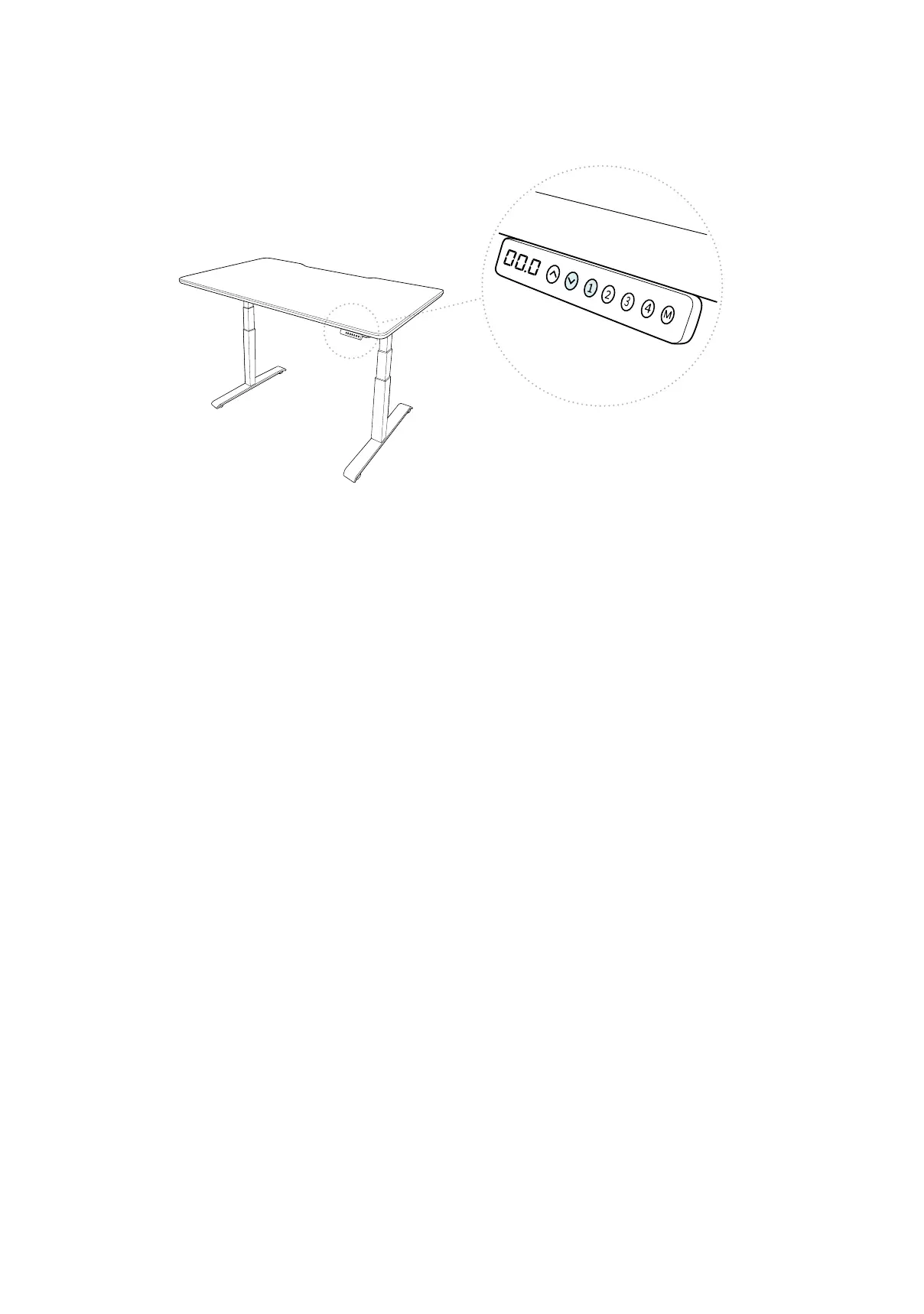
Press the DOWN buon on the control panel unl the base reaches its lowest posion. Press and
hold the DOWN buon again unl the LED display reads “RST”.
Press and hold the 1 buon (about 5 seconds) while the LED ashes “RST” and switches to either:
10.1 = One-Touch (preset buons work with one quick press)
10.2 = Constant-Touch (preset buons work when pressed and held down for a few seconds)
Release the 1 buon. Press the 1 buon again unl desired seng is reached. Once the chosen
seng is displayed, release the buon and wait for the display to return to “RST”.
Finish the reset process by pressing and holding the DOWN buon unl the desk lowers a lile
bit more, slightly rises, and stops. Release the buon. The new program is saved and your desk is
now ready to use.
Initial Setup
To toggle from inches to cenmeters on the display, rst press the DOWN buon unl the desk
reaches the lowest posion (25”). Press and hold the DOWN buon again unl the display ashes
“RST”. Press and hold the 2 buon (about 5 seconds) unl the display ashes “RST” and then
switches to either 10.3 (= cm) or 10.4 (= in).
If the display is not ashing “RST”:
1. Lower the desk to the lowest posion (25”), then release the buon.
2. Press and hold the DOWN buon unl the “RST” ashes and release the buon.
3. Press and hold the DOWN buon again unl the display shows the height of 25”, then
release the buon.
If the display is already ashing “RST”, begin with step 2 above.
Inches to Centimeters


 To Next Page