8
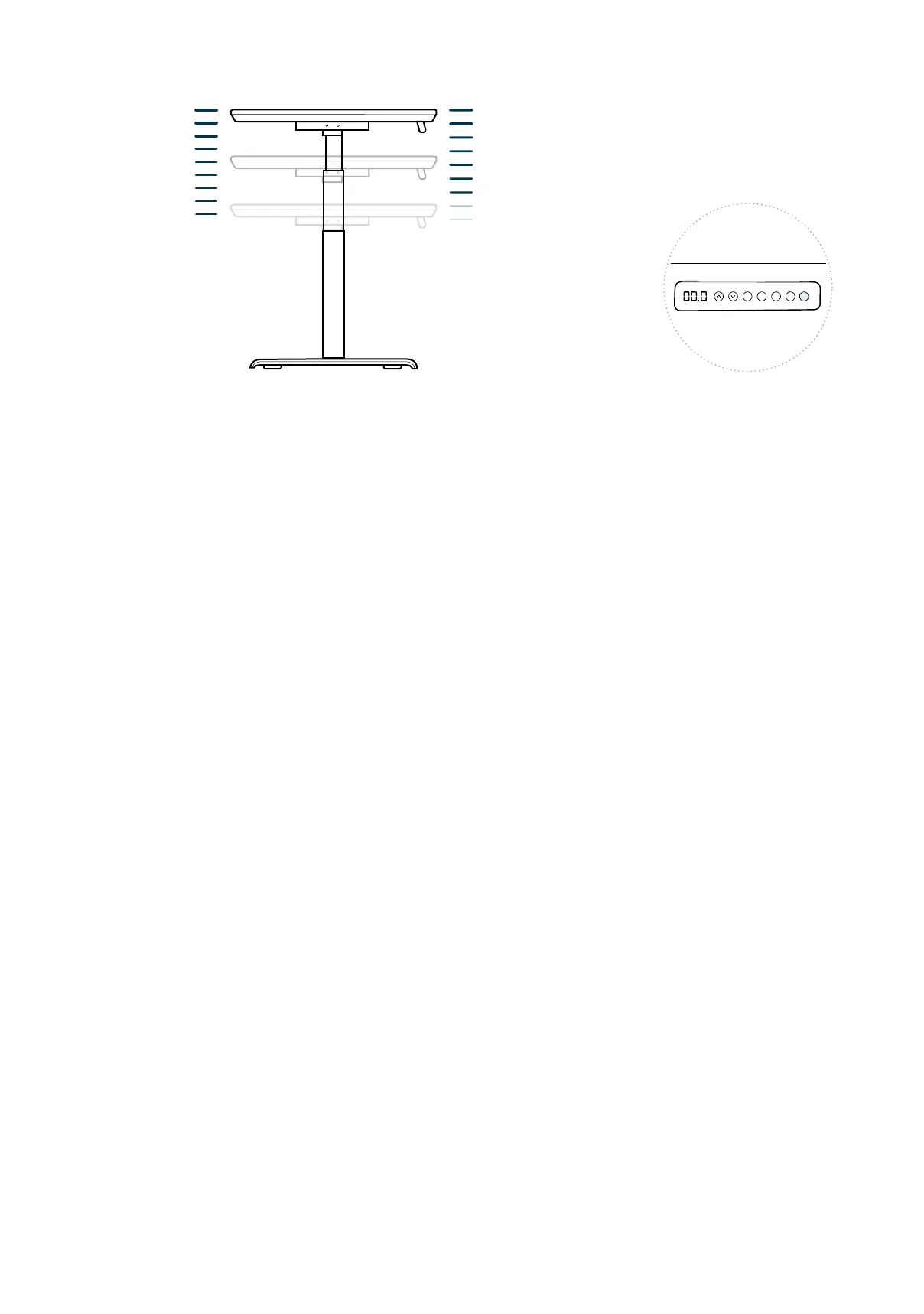
The height sengs range from 25-50.5 inches (63.5-128 cm). If you prefer to change the sengs
to a more narrow range, follow the below steps.
Make sure the power is ON and a number reads on the LED display (if no number appears, please
follow the Troubleshoong and Reset procedure).
To set the Upper-Limit Posion: Use the UP/DOWN buons to move the base to the desired
maximum-height posion. Press the “M” buon and release. Press the UP buon and release.
The LED display will ash “S-”. Press and hold the “M” buon unl the LED display changes to
“999”. The display will automacally return to the selected height. The new upper limit is now set.
To set the Lower-Limit Posion: Use the UP/DOWN buons to move the base to the desired
minimum-height posion. Press the “M” buon and release. Press the DOWN buon and release.
The LED display will ash “S-”. Press and hold the “M” buon unl the LED display changes to
“000”. The display will automacally return to the selected height. The new lower limit is now set.
To Remove Upper/Lower Limit Posions: Press the “M” buon and release. The LED display will
read “S-”. Within 5 seconds, press and hold the “M” buon again for 2 seconds. The LED display
will change to “555” and then automacally return to the height display. The upper and lower
limits are now removed.
WARNING: A RESET procedure requires the desk base to fully retract (beyond any lower limit
set). Please ensure that you have the proper clearance below the desk base.
Aer the upper and lower limits are set, the previous memory posions (1, 2, 3, 4) may be outside
the new range of movement. If so, simply reset the memory posions.
If you aempt to revise a previously set upper or lower limit and it is outside of the exisng range,
you will need to remove the previously set upper/lower limits rst.
Setting Upper & Lower Limits
The height sengs range from 25-50.5 inches (63.5-128 cm). You can program 4 height prefer-
ences by raising or lowering the desk to your desired height, pressing the “M” buon (you will see
“S-” appear on the display), then pressing 1, 2, 3, or 4.
Height Settings and Preferences
1
2 3 4
M
Highest Setting
Preferred Lowest Setting
Lowest Setting
50 ½" (128 cm)
25" (63.5 cm)


 To Next Page