OPERATION 13
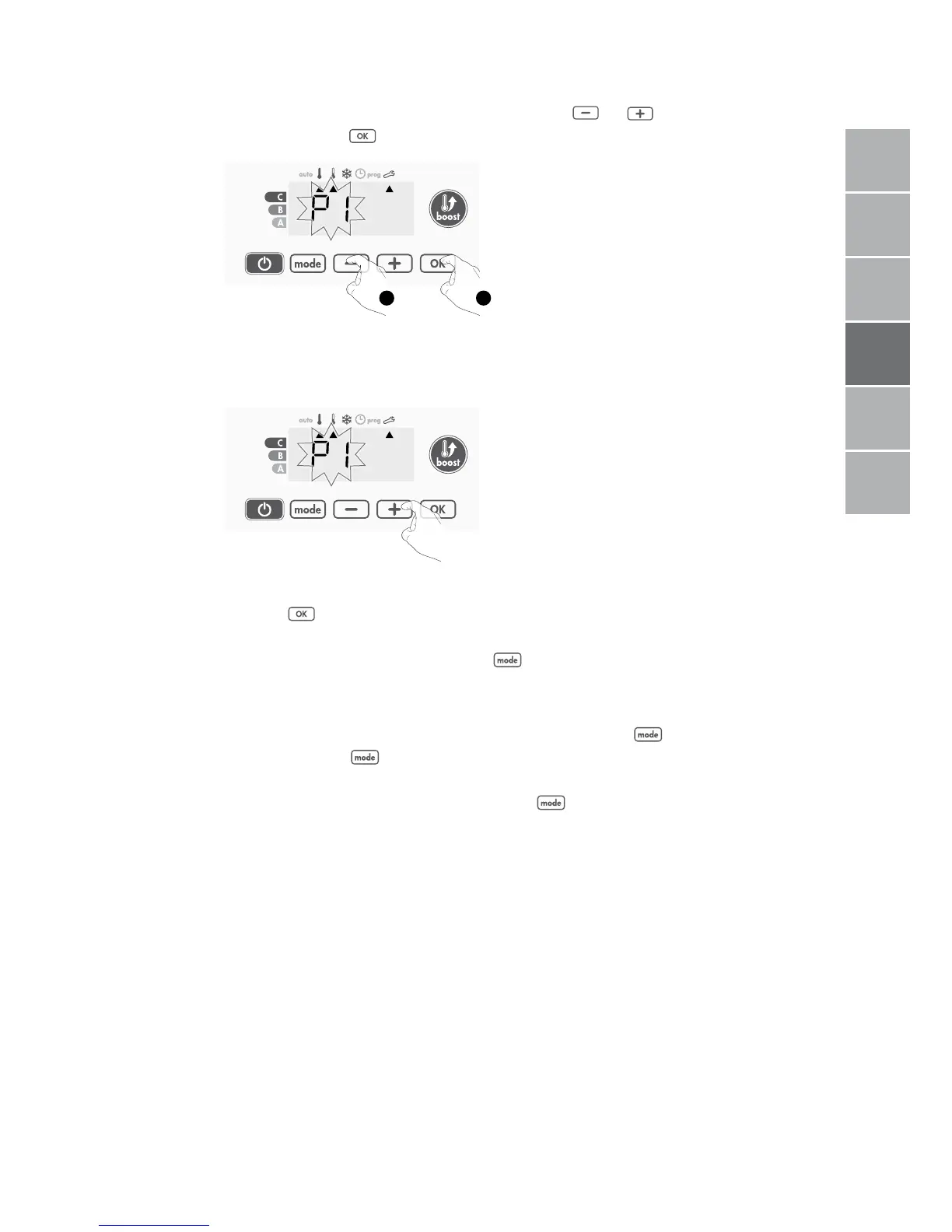
3- Chose the programme you want for this day with or .
Save by pressing .
1 2
4- The programme assigned to the second day of the week (Tuesday) will flash.
Repeat the procedure described previously (in point 3) for each day of the
week.
5- Once you have chosen a programme for each day, confirm your selection by
pressing . The days of the week will successively scroll on display with
the programmes that you set for them (P1, P2, P3, CONF or ECO).
To exit the Programming mode, press twice.
• Viewing the programmes that you have selected
- From Auto, Comfort, Eco or Frost protection mode, press for
5 seconds. Press twice, the programme for each day of the week
(Comfort, Eco, P1, P2 or P3) will scroll on display in front of you.
- To exit the programme viewing mode, press twice.
• Manual and temporary exemption from a running programme
This function allows you to change the setting temperature temporarily until the
next scheduled change in temperature or the transition to 0:00.
FR
NL
DE
IT
EN
PL
FR
NL
DE
IT
EN
PL



 To Next Page