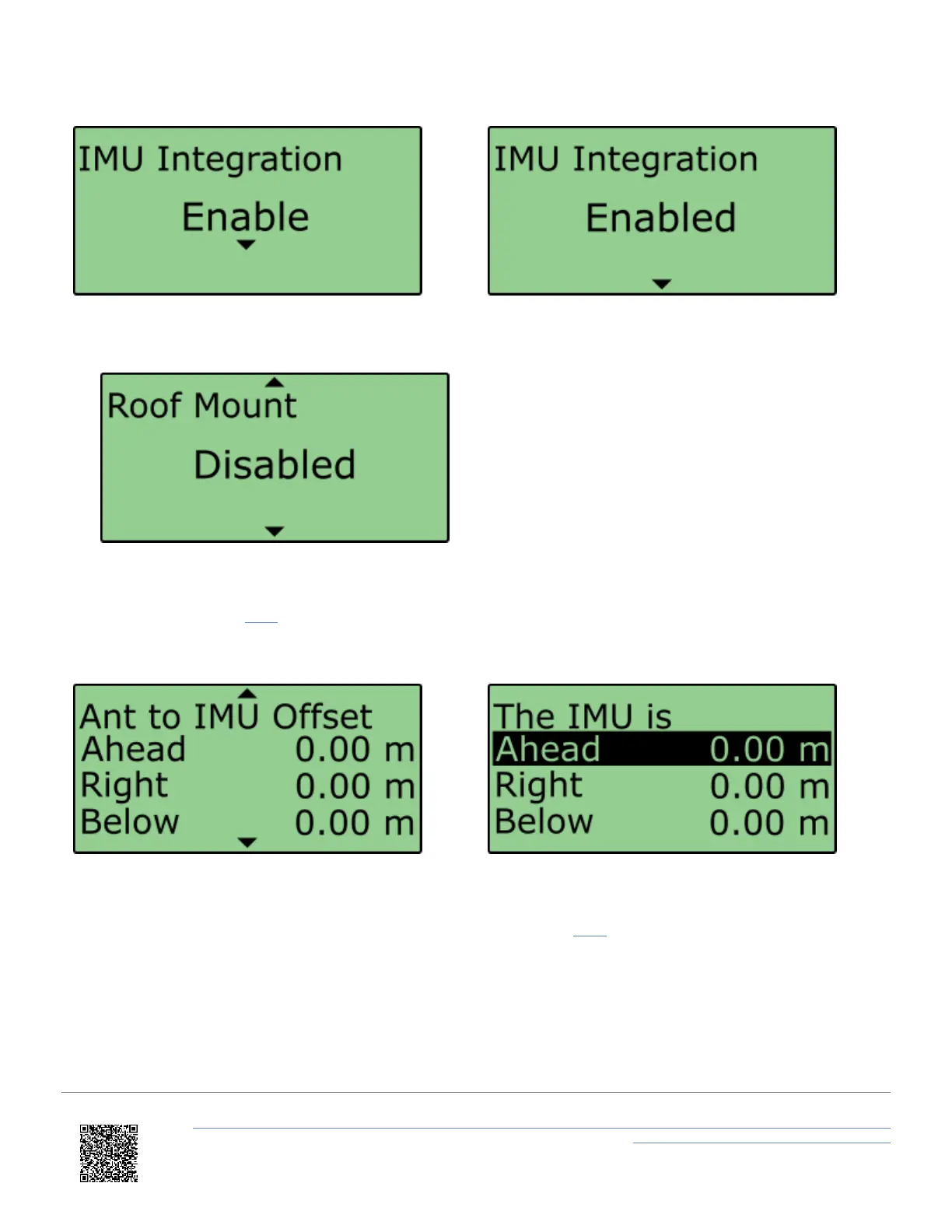
6. Scroll to the 'Roof Mount' menu and ensure it is 'Disabled'.
7. Select 'Ant to IMU Offset' and enter the distances measured between the IMU and antenna A, more information
on this can be found here.
8. If you would like to translate the data from the IMU location to another point on the vehicle where all
measurements will be made, Select 'IMU to Ref. Offset' and enter the distances measured between the required
translation point and the IMU, more information on this can be found here.
https://en.racelogic.support//Product_Info/VBOX_Data_Loggers/VBOX_3i_Range/VBOX_3i_User_Guide_(All_Variants)/12-1_-
_VB3i_IMU_Integration_-_In-Vehicle_Mounted
58


 To Next Page