1
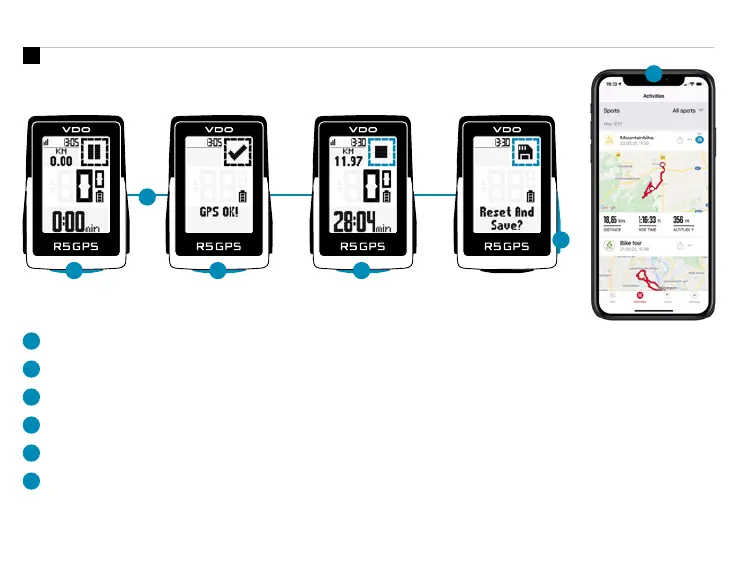
Press START button for 3s to start the device.
2
Don‘t move and search for clear sky location for fast GPS fix.
3
Wait for „GPS OK“. Press START button to start the training session.
4
Press START button to stop the training session.
5
Hold „+“ button to reset training values and save your training.
6
Sync with Smartphone for full data analysis and sharing.
2
1
3
4
Training
6
EN
5
SIGMA RIDE App












 To Next Page