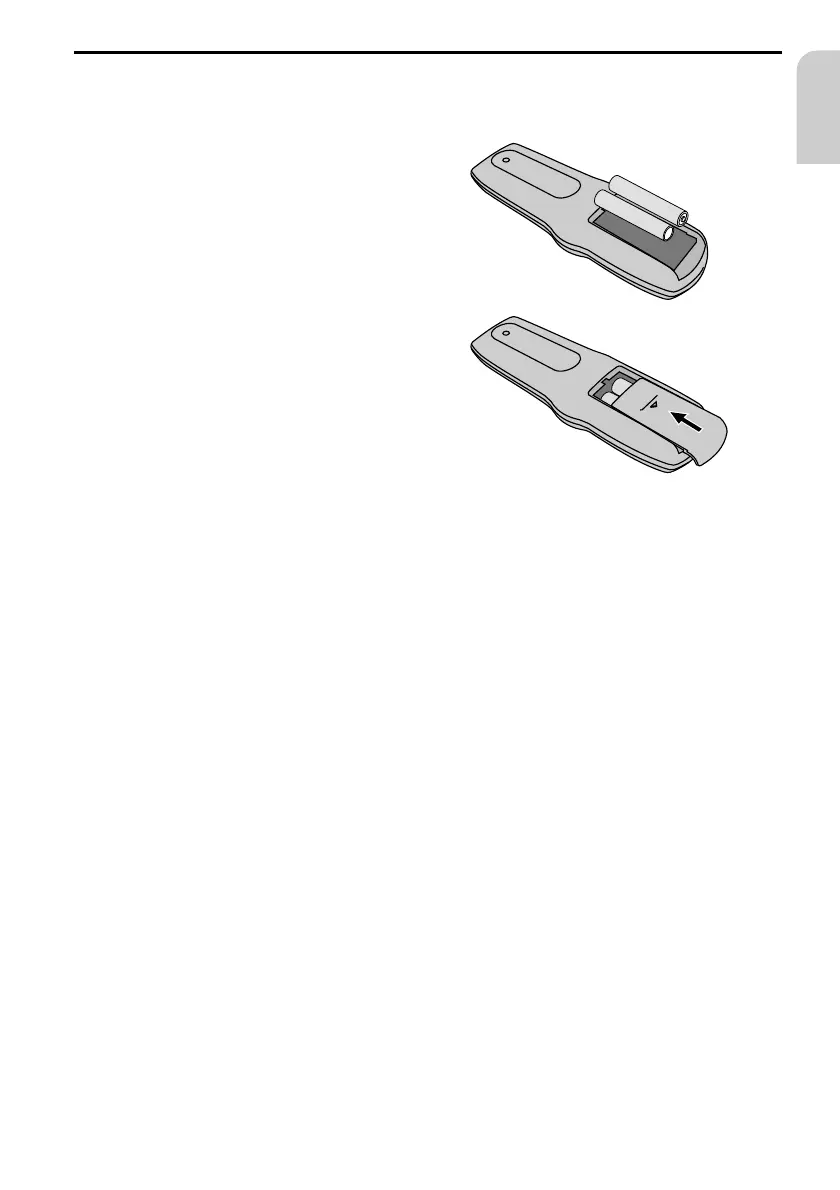
Replacing batteries of the remote control
You have to replace the batteries of the remote control, if the DVD Player does no longer
respond to key presses.
☞
Open the battery compartment on the
back of the remote control.
☞
Remove the discharged batteries.
☞
Insert two new AAA size batteries.
Pay attention to correct polarity
(marked in the compartment).
☞
Close the battery compartment.
Notes:
In many countries exhausted batteries may not be disposed of with your household waste.
Please determine how to dispose of exhausted batteries according to local regulations.
Only use leak-proof batteries. Battery leakage can cause damage to the remote control or to
your car.
Never expose the remote control to direct sunlight or extreme heat. The batteries are
discharged and the risk of leakage is increased.
Changing bulbs
☞
Carefully lever the transparent cover for the interior lighting off the unit from the outside
using a screwdriver.
☞
Replace the blown bulb with one of the same type (12 V / 2 - 3 W).
☞
Close the cover again.
Cleaning the unit and the remote control
Do not use lighter fluid, methyl alcohol or other solvents for cleaning. Only use a damp
cloth.
MAINTENANCE AND CARE
29
English
+
+
–
–



 To Next Page