51
BIKETPC
SET
BIKETPC
SET
ALTI
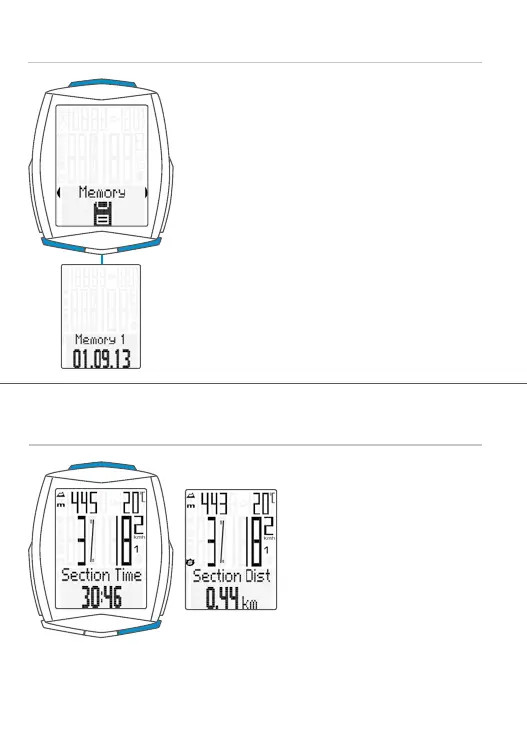
Accessing the trip data from the memory
– Press and hold the SET button
– Open the MEMORY by pressing
the SET button
– Scroll in the trip data memory:
Press the BIKE or TPC button
– Open the trip data:
Press the SET button
– Scroll through the detailed trip data:
Press the BIKE or TPC button
– Exit the trip data memory:
Press and hold the SET button
Starting/stopping a TRIP SECTION
– START: press the BIKE + SET
buttons simultaneously
– STOP: press the BIKE + SET
buttons simultaneously
– Re-START: press the
BIKE + SET buttons
simultaneously again
– RESET: press and hold the
BIKE button
ATTENTION: if the speed is ZERO, the trip section counter stops
automatically. If you continue the ride, the trip-section counter
continues automatically.



 To Next Page