EasyManua.ls Logo

VDO TR 7327 B - Page 15

VDO TR 7327 B
26 pages
Print Icon
To Next Page IconTo Next Page
To Previous Page IconTo Previous Page
Loading...
16
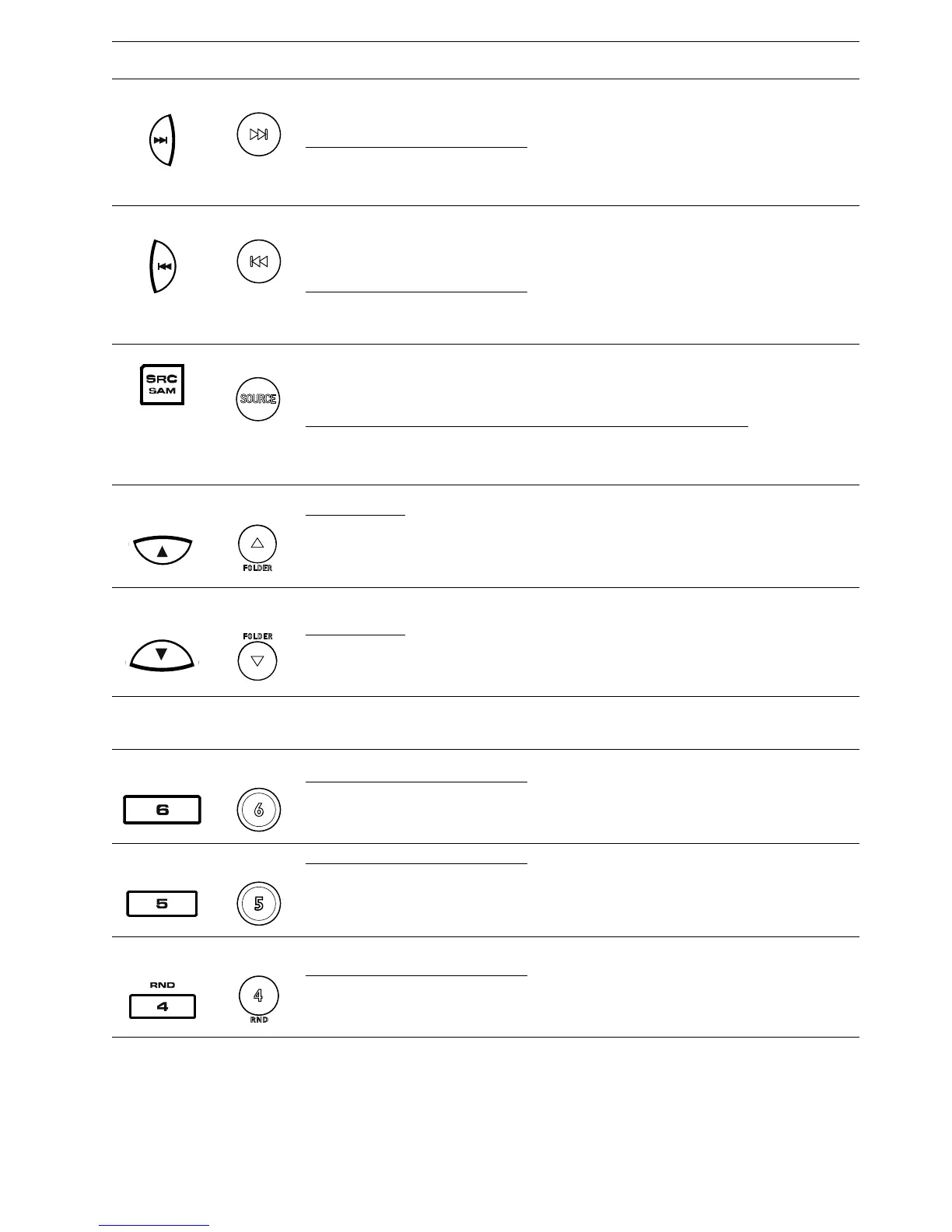
Head unit
Remote
Control
Action Tuner USB and SD/MMC
Blue-
tooth
SAM, SOUND
(10)
(9)
SP
Seek next station
(PTY mode:
starts program
search up)
Track fast-forward
(continuously press)
Select
next track
(A2DP
mode)
Exit Scan/
Sound
LP Manual Tune up
(11)
(10)
SP
Seek previous
station
(PTY mode:
starts program
search down)
Track fast-rewind
(continuously press)
Select
previous
track
(A2DP
mode)
Exit Scan/
Sound
LP
Manual Tune
down
(12)
(4)
SOURCE
SP
Change source
In SOURCE
menu: Toggle
between radio
sources
In SAM menu:
Select next
menu item
Enter SAM menu
LP
(13)
(11)
FOLDER
SP
Go to next preset Select next folder
Select
next track
(A2DP
mode)
Select next
menu item
Sound: n.a.
LP
(14)
(12)
FOLDER
SP
Go to previous
preset
Select previous folder
Select
previous
track
(A2DP
mode)
Select previous
menu item
Sound: n.a.
LP
(15)
USB
-
- Type A USB connector
(16)
(18)
SP Select preset 6
(n.a.)
In SAM: Exit
SAM mode
SOUND: n.a.
LP
Store current sta-
tion into preset 6
(17)
(17)
SP Select preset 5
(n.a.)
In SAM: Exit
SAM mode
SOUND: n.a.
LP
Store current sta-
tion into preset 5
(18)
(16)
RND
SP Select preset 4
Toggle RANDOM
mode
(n.a.)
RND: depend-
ing on the
source selected
LP
Store current sta-
tion into preset 4

Table of Contents

Other manuals for VDO TR 7327 B

Related product manuals