LVP605 User’s Manual
---------------------------------------------------------------------------------------------------
LED VIDEO PROCESSOR
16
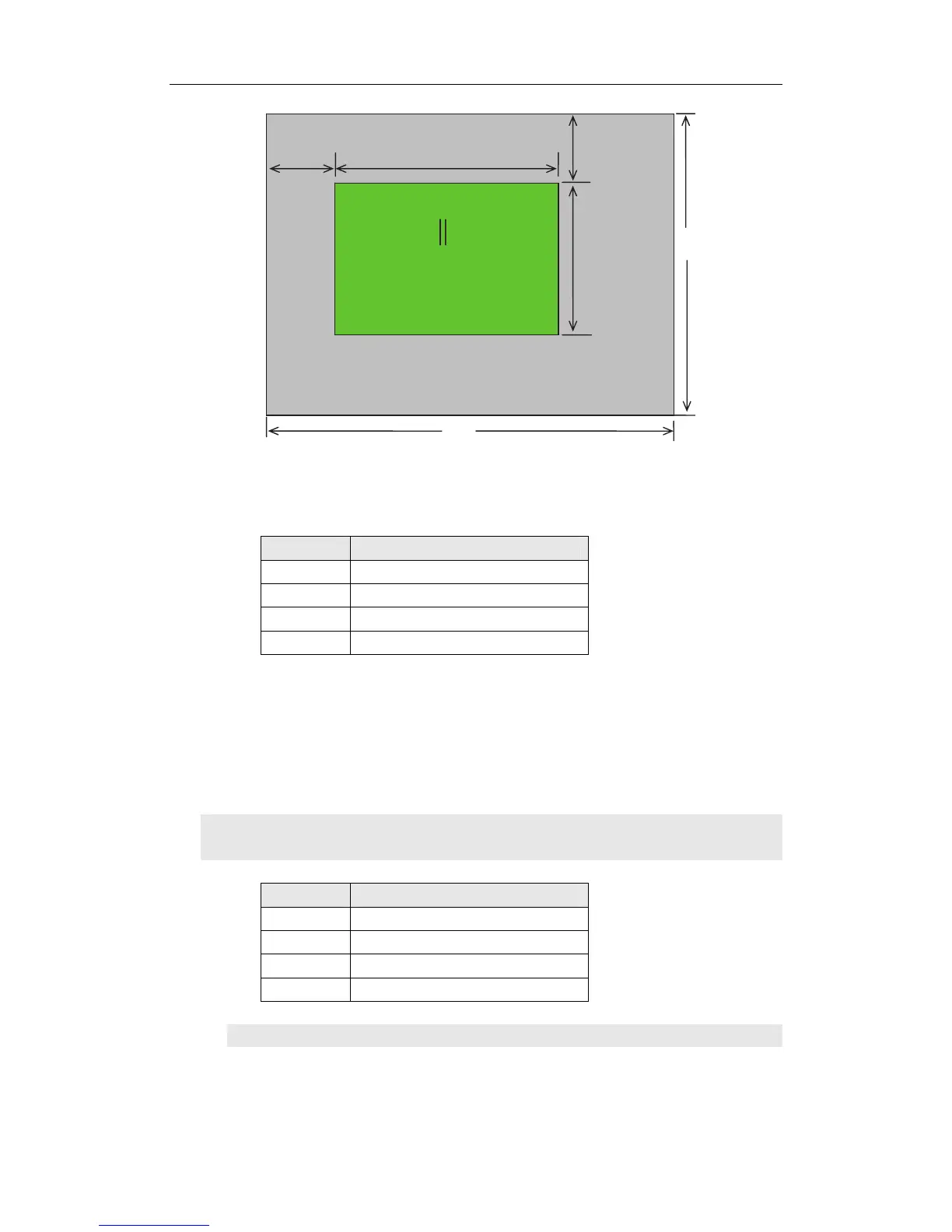
As above figure shows: the size and location of the images in
LVP605 output window for the LED display are defined by the following
4 groups of parameters:
Item No. Parameters
3
Out_Hori_Width
4
Out_ Hori _Start
5
Out_ Vert_Height
6
Out_Vert_Start
Notes: user can change current parameter settings by rotating the
knob. The speed at which you rotate the knob decides the step value
of the adjustment. The location and size of the output image will be
previewed in the white box while you are making the adjustment, then
you can press the knob to save and validate the settings you made.
4 . Text Overlay Setup
Item No. Setup Item Name
7
Text Mode
8
Threshold Red
9
Threshold Green
10
Threshold Blue
Item 7: “Text Mode”
(0,0)
Out_Hori_Start
Out_Hori_Wi Out_Vert_Start
Out_Vert_Height
LED Dis



 To Next Page