Need help?
Do you have a question about the VECTECH 498A and is the answer not in the manual?
Detailed technical specifications including voltage, time, and environmental ranges.
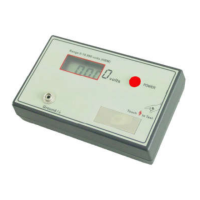
Key features and operational advantages of the charged-plate monitor.
Procedure for powering on the VECTECH498A Charge-Plate Monitor.
Steps to safely power down the charged-plate monitor.
Instructions for charging the unit using the provided adapter.
Information regarding the LCD backlight behavior during operation and charging.
Step-by-step guide for performing tests on the charged-plate monitor.
Real-time voltage monitoring without data saving.
Configure the device for testing only the charged plate voltage.
Configure AUTO mode test parameters: start/end voltage, decay time.
Configure POSI mode test parameters: positive decay time, balance voltage.
Configure NEGA mode test parameters: negative decay time, balance voltage.
Configure BAL mode test parameters: balance voltage.
Control whether test data is saved automatically after test completion.
Enable or disable hints for test data that does not meet pass parameters.
Option to enable or disable audible sound feedback for key presses.
Option to enable or disable audible alarms during the testing process.
Set pass thresholds for AUTO mode: positive decay, negative decay, balance voltage.
Set pass thresholds for POSI mode: positive decay time, balance voltage.
Set pass thresholds for NEGA mode: negative decay time, balance voltage.
Set pass thresholds for BAL mode: balance voltage.
Adjust the linearity of voltage readings using a calibration resistor.
Perform hardware-based zeroing for significant deviations from software zero.
 General
| Brand | VECTECH |
|---|---|
| Model | 498A |
| Category | Measuring Instruments |
| Language | English |


 To Next Page