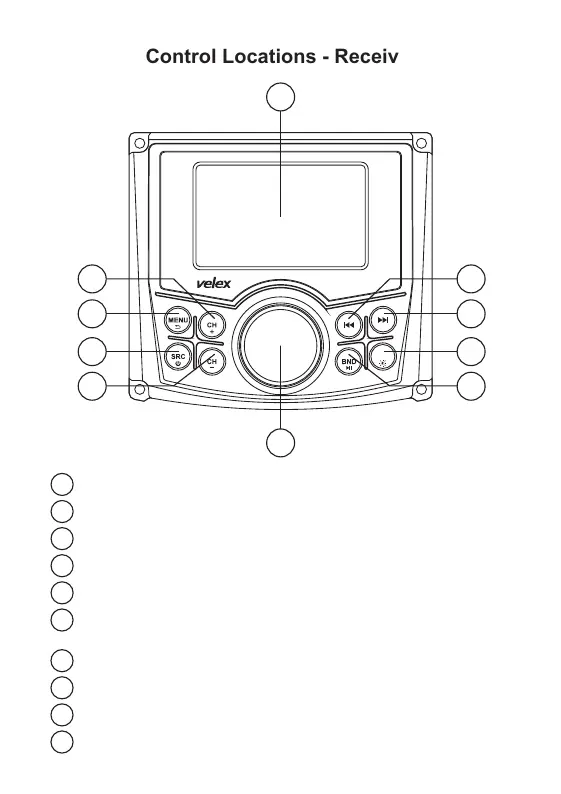
Control Locations - Receiver
1
Next Preset Stations (Radio -FM)
2
3
4
5
MENU / Return
Source / Power
Previous Preset Stations (Radio- FM)
VOL Knob (Rotate)/ Confirm (Press)
6
Play / Pause | Band (Radio) | Video I/O Switch (Press
and Hold While Playing Video)
7
8
9
10
Mute / Button Brightness Adjust (Day / Night)
Tune Up / Next Track
Tune Down / Previous Track
TFT Display
3
2
4
1
7
8
6
9
5
10
VX 326
MUTE


 To Next Page