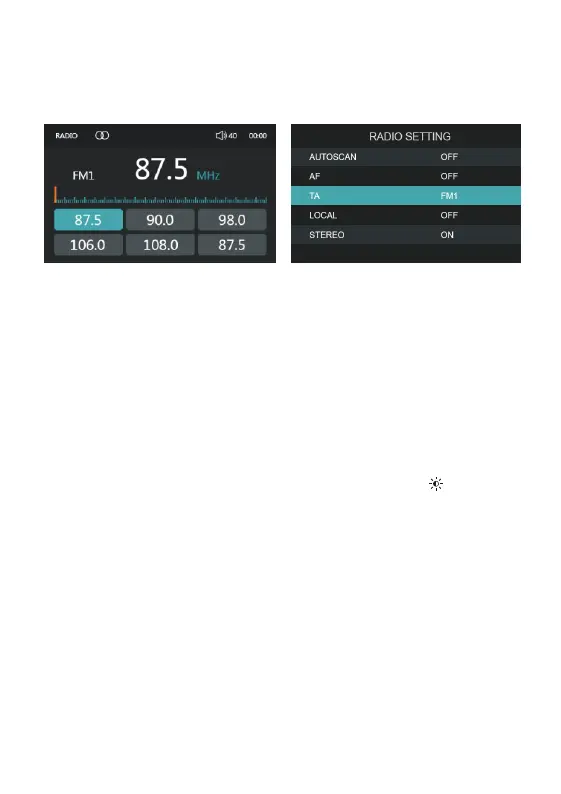
FM Tuner Operation
Country Selection When power is first applied, press MENU button to enter the -
main menu, then rotate the Volume Knob and select 'SETTINGS', rotate the Vol
Knob to highlight the Radio Region to toggle between European and USA band
sets.
Seek Tuning Press and hold << or >> for more than one second to seek to the
next strong station.
Manual Tuning Press << or >> momentarily to move radio frequency up or down -
one step at a time.
Auto Programming of Radio Station Press and hold 'AMS button for 1 - '
second, VX326 will commence searching the band for radio stations and auto
matically stored in the available preset memory location. The new stations will
replace any stations previously stored in that band.
Band - Press BND >II to select between FM1, FM2, Fm3. Up to six presets can be
programmed for each band. Enabling up to 18FM stations to be stored in memory.
Recalling Presets Press the CH+/CH- button to cycle through the 1-6 presets -
in the current band.
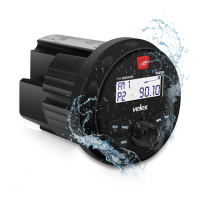
Long press 'MENU' button to activate radio setting
(AUTOSCAN, LOC/DX, STEREO).


 To Next Page