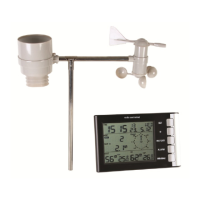
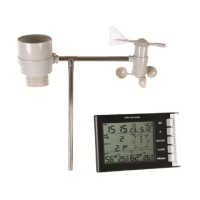
WS3080
V. 05 – 08/11/2016 7 ©Velleman nv
Weather
forecast
tendency
Refer to §8.2 for more information.
set threshold between 2 ~ 4 hPa (default = 2hPa)
set threshold between 3 ~ 9 hPa (default = 4hPa)
set the high alarm level
Press the ALARM ON/OFF button to enable/disable the alarm. When enabled,
the alarm icon appears.
set the low alarm level
Press the ALARM ON/OFF button to enable/disable the alarm. When enabled,
the alarm icon appears.
(both indoor humidity [7] and max icon (between [14] and [15]) are
flashing)
press and hold the ENTER button for ±3s to reset max value to current
measurement
(both indoor humidity [7] and min icon (between [14] and [15]) are
flashing)
press and hold the ENTER button for ±3s to reset min value to current
measurement
set the high alarm level
Press the ALARM ON/OFF button to enable/disable the alarm. When enabled,
the alarm icon appears.
set the low alarm level
Press the ALARM ON/OFF button to enable/disable the alarm. When enabled,
the alarm icon appears.
(both indoor temperature [8] and max icon (between [14] and [15]) are
flashing)
press and hold the ENTER button for ±3s to reset max value to current
measurement
(both indoor temperature [8] and min icon (between [14] and [15]) are
flashing)
press and hold the ENTER button for ±3s to reset min value to current
measurement
set the high alarm level
Press the ALARM ON/OFF button to enable/disable the alarm. When enabled,
the alarm icon appears.
set the low alarm level
Press the ALARM ON/OFF button to enable/disable the alarm. When enabled,
the alarm icon appears.
(both outdoor humidity [11] and max icon (between [14] and [15]) are
flashing)
press and hold the ENTER button for ±3s to reset max value to current
measurement
(both outdoor humidity [11] and min icon (between [14] and [15]) are
flashing)
press and hold the ENTER button for ±3s to reset min value to current
measurement
select whether to show outdoor temperature, wind chill or dew point on the
display [12]
set the high alarm level
Press the ALARM ON/OFF button to enable/disable the alarm. When enabled,
the alarm icon appears.
set the low alarm level
Press the ALARM ON/OFF button to enable/disable the alarm. When enabled,
the alarm icon appears.


 To Next Page