EasyManua.ls Logo

Venmar A160H65RT - User Manual

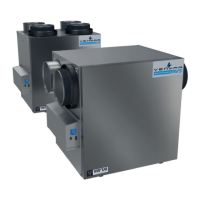
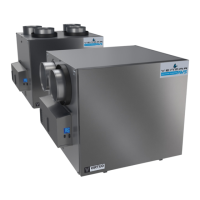
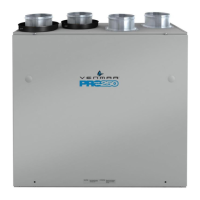
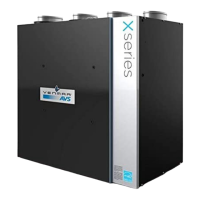
Venmar A160H65RT
52 pages
Print Icon
To Next Page IconTo Next Page
Loading...
USER AND INSTALLER MANUAL
INSTALLER: READ THESE INSTRUCTIONS
SAVE THEM FOR USER
RESIDENTIAL USE ONLY
23831 rev. M
VB0340
VB0339
REGISTER YOUR PRODUCT ONLINE AT:
www.venmar.ca/register-your-product.html or
www.vanee.ca/en/register-your-product.html
For additional information, visit www.venmar.ca or www.vanee.ca
*Recirculation mode is not offered on these models.
A110H65rT A110H65rS
A130H65rT A130H65rS
A130e65rT A130e65rS
**A150H75NT* **A150H75NS*
**A160H75rT **A160H75rS
**A160H65rT **A160H65rS
A160e65rT A160e65rS
A150e75NT* A150e75NS*
A160e75rT A160e75rS
v110H65rT v110H65rS
v130H65rT v130H65rS
v130e65rT v130e65rS
**v150H75NT* **v150H75NS*
**v160H75rT **v160H75rS
**v160H65rT **v160H65rS
v160e65rT v160e65rS
v150e75NT* v150e75NS*
v160e75rT v160e75rS
*Recirculation mode is not offered on these models.
**THeSe producTS eArNed THe eNerGY
STAr
®
bY meeTiNG STricT eNerGY efficieNcY
GuideliNeS SeT bY NATurAl reSourceS cANAdA
ANd THe uS epA. THeY meeT eNerGY STAr
requiremeNTS oNlY wHeN uSed iN cANAdA.
Venmar Ventilation ULC, 550 Lemire Blvd., Drummondville, Québec, Canada J2C 7W9 venmar.ca / vanee.ca 800-567-3855

Table of Contents

Questions and Answers

  • C
    Cindy JohnsonAug 8, 2025
    What to do if my Venmar A160H65RT shows error E50?
    • D
      Deanna BruceAug 8, 2025
      If your Venmar Fan displays error code E50, try the following steps: First, unplug the unit, inspect the wires, and then plug it back in. If the problem persists, remove the wall control from the wall and test it with a short cable. If it works, install a new cable to the wall installation location. If the issue remains, test the air exchanger with a spare wall control; if it works, replace the wall control. As a last resort, replace the electronic assembly.
  • R
    robin49Aug 13, 2025
    How to fix error E23 on a Venmar A160H65RT?
    • A
      Angelica WilkersonAug 13, 2025
      To fix error E23 on your Venmar Fan, first unplug and then plug the unit back in. If the error persists, remove the core and clear the ventilation wheel of any dirt or obstacles. If the problem still occurs, disconnect J2 (white) and connect a spare blower system. If this resolves the issue, replace the supply blower. If not, replace the electronic assembly.
  • W
    William SteinAug 18, 2025
    How to resolve error E09 on my Venmar A160H65RT?
    • C
      Crystal AlexanderAug 18, 2025
      To resolve error E09 on your Venmar Fan, follow these steps: First, unplug the unit and inspect the damper system, removing any obstacles or dirt. This may require removing the filters and core to access the damper system. Then, plug the unit back in. If the error continues, open the electrical compartment and check if connector J6 (blue) is properly inserted and inspect for any loose wires. If the problem persists, unplug J5 (white) from the electronic assembly. Connect the blue damper system connector into J5. If the damper moves but the system still shows an error, the electronic assembly must be replaced. Otherwise, replace the damper system.
  • D
    Deborah GrimesAug 23, 2025
    How to resolve error E05 on my Venmar A160H65RT Fan?
    • J
      Jaime MartinAug 23, 2025
      To resolve error E05 on your Venmar Fan, begin by unplugging the unit and inspecting the damper system, removing any obstacles or dirt. This may involve removing the filters and core to access the damper system. Then, plug the unit back in. If the error persists, open the electrical compartment and check if connector J7 (red) is properly inserted and inspect for any loose wires. If the problem continues, unplug J5 (white) from the electronic assembly and connect the white damper system connector into J5. If the damper moves but the system still shows an error, the electronic assembly should be replaced. Otherwise, replace the damper system.
  • J
    Jennifer PenaAug 28, 2025
    How to resolve error E01 on my Venmar A160H65RT Fan?
    • J
      joshuaskinnerAug 28, 2025
      To resolve error E01 on your Venmar Fan, start by unplugging the unit and inspecting the damper system, removing any obstacles or dirt. This might require removing the filters and core to access the damper system. Then, plug the unit back in. If the error persists, open the electrical compartment and check if connector J5 (white) is properly inserted, and look for any loose wires. If the problem continues, and the damper is not moving, unplug J7 (red) from the electronic assembly and connect the white damper system connector into J7. If the damper moves but the system still shows an error, replace the electronic assembly. Otherwise, replace the damper system.
  • K
    Katherine LopezSep 2, 2025
    What should I do if my Venmar Fan displays error E24?
    • A
      Alexa HortonSep 2, 2025
      If your Venmar Fan shows error E24, first unplug and then plug the unit back in. This error may occur due to under or over voltage detected during severe in-house power supply fluctuation, which stops the motor for protection. If the problem persists, replace the electronic assembly.

Summary

2. INSTALLATION

2.1 LOCATING AND MOUNTING THE UNIT

Guidance on selecting the optimal location and methods for mounting the unit securely.

2.2 INSTALLING THE DUCTWORK AND THE REGISTERS

Instructions for proper installation of ductwork and registers across various system configurations.

2.2.1 FULLY DUCTED SYSTEM (T-1)

Details for setting up a fully ducted system, enabling recirculation mode operation.

2.2.2 EXHAUST DUCTED SYSTEM (T-2)

Procedures for an exhaust-ducted system, which also permits recirculation mode.

ALTERNATE INSTALLATION (T-3)

Instructions for alternate installation configuration T-3, allowing recirculation mode.

2.2.3 SIMPLIFIED Installation (T-4)

Steps for a simplified installation setup (T-4), which does not support recirculation mode.

ALTERNATE INSTALLATION (T-5)

Guidelines for alternate installation configuration T-5, which prohibits recirculation mode.

3. CONNECTIONS

4. WIRING DIAGRAM

5. NAVIGATION ON LCD SCREEN

5.2 UNIT FIRST BOOT

Steps for the unit's initial startup, including preheating and auto-balancing procedures.

5.3 SETTINGS MODIFICATION

Procedures for adjusting key settings like minimum CFM, maximum CFM, and operational options.

6. USING THIS UNIT

8. INSTALLERS TROUBLESHOOTING

9. MAINTENANCE

10. USERS TROUBLESHOOTING

Venmar A160H65RT Specifications

General IconGeneral
BrandVenmar
ModelA160H65RT
CategoryFan
LanguageEnglish

Related product manuals