
 To Next Page
M
Melissa JacksonJul 31, 2025
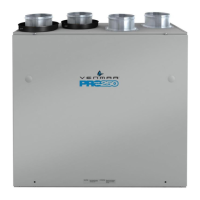
How to fix air that is too dry with my Venmar PRO225 Fan?
- CCharles SmithJul 31, 2025
To address overly dry air: * Use a humidifier temporarily. * Set the unit at low speed using the integrated control.

How to fix air that is too dry with my Venmar PRO225 Fan?
To address overly dry air: * Use a humidifier temporarily. * Set the unit at low speed using the integrated control.
What to do if nothing works on my Venmar Fan?
First, verify that the unit is correctly plugged into the power outlet. Then, check if the unit is receiving power from the house circuit breaker or fuse. Ensure that the breaker hasn't tripped or the fuse hasn't blown.
Why is there condensation on windows with my Venmar Fan?
Condensation on windows, indicating overly humid air, can be addressed by several actions: * Adjust the humidity control knob according to the instructions. * Leave curtains partially open to improve air circulation. * Store firewood in a closed room with a dehumidifier, a well-ventilated area, or ideally, outside. * Maintain a house temperature above 18°C (64°F). * Increase the unit's speed during activities that generate significant humidity, such as large gatherings or extensive cooking.
What to do if the LED of my Venmar PRO225 integrated control is blinking amber?
If the LED of the integrated control is blinking amber, it indicates a problem with the motorized damper. The unit is OFF. For a 2½-hour period, the unit will try to reset the damper at every 30 minutes. After 2½ hours, if the problem is not solved, the unit stops trying to reset damper. Check control wiring.
Why is the air too cold at the air supply grille of my Venmar PRO225 Fan?
If the air is too cold at the air supply grille, take the following steps: * Ensure that the outside ports are not blocked. * Set the unit at low speed using the integrated control. * For PRO250 units with Breeze control, set the unit at minimum speed (MIN.).
What to do if the LED of my Venmar PRO225 integrated control is blinking red?
If the LED of the integrated control is blinking red, it means there is a problem with the exhaust motor. The unit is OFF.
What to do if the LED of my Venmar Fan integrated control is blinking green?
If the LED of the integrated control is blinking green, it indicates a problem with the thermistor. The unit is still working, but will defrost frequently.
Provides guidance on selecting the optimal location and mounting procedures for the unit.
Describes the unit's integrated control system, its push button, and LED indicators for operation.
Explains how to connect the control wires to the unit's terminal block, emphasizing safety precautions.
Explains the operation of the Breeze main control for the PRO250 unit, including air supply and humidity adjustments.
Details the usage of the 11136 main control for the PRO225 unit, focusing on humidity level selection.
Outlines routine maintenance tasks, including cleaning filters and the heat recovery core.
 General