12
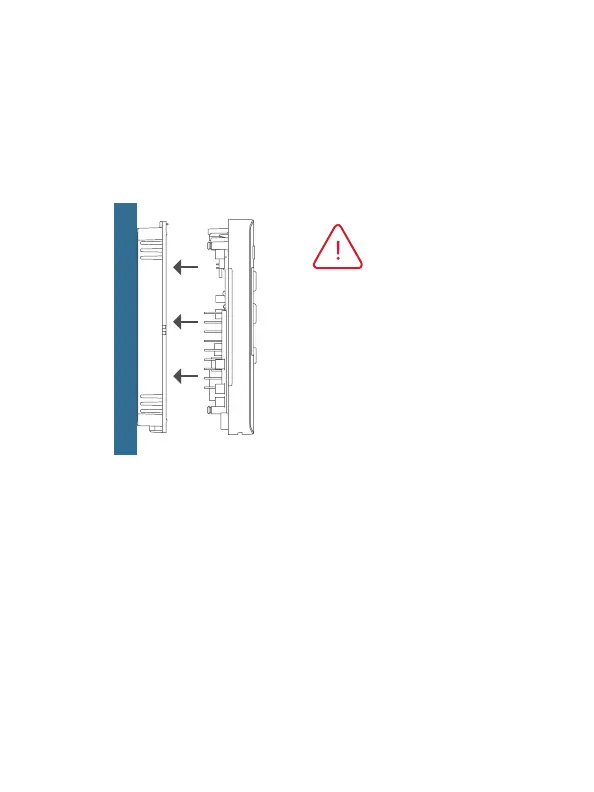
Step 9 - Attach Thermostat
1) Align the pins on the thermostat circuit board with the corresponding
holes below the wiring connectors and push the top and the bottom
of the plastic housing enclosing the display until it clicks into place,
top and bottom.
Step 10 - Switch Power/Circuit Breakers Back On
Turn your furnace and air conditioner breakers back on at your
breaker panel.
Front of thermostat should
click into place easily. If you
encounter resistance do not
apply excess force – remove,
check that the pins are straight
and ensure there are no wires
in the way and retry.


 To Next Page