10
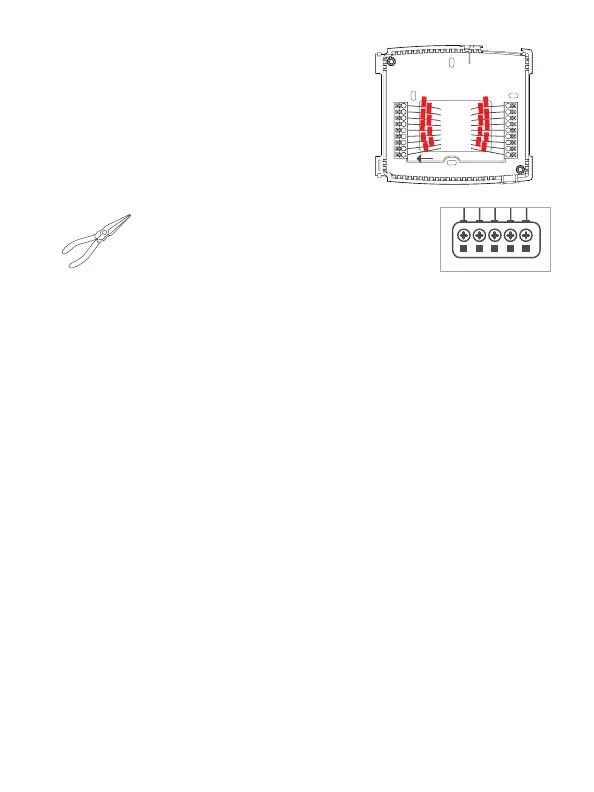
Step 7 - Connect Wires
1) Match your previous wire configuration
to the new base. One by one, connect
each wire by inserting the metal end into
the corresponding slot and tightening
the screw.
TIP: Use pliers to straighten wire before
inserting into new base. Be sure to cut any
excess wire so that the insulation extends to
the terminal block. When the wire is installed
properly to the terminal block, there should
be no copper exposed.
lPliers
This Quick Start
Manual


 To Next Page